On this page
Sims 4 Build mode cheats
Updated PC, Mac, Xbox, PlayStation
Every Build mode cheat starts with bb., works without testingcheats, and keeps your achievements.
The five most used
| Command | What it does | Notes | Copy |
|---|---|---|---|
Commandbb.moveobjects | What it doesTurns off placement rules, so objects overlap and sit off the grid. | None | |
Commandbb.showhiddenobjects | What it doesAdds the debug catalogue. Search the catalogue for debug to see it. | None | |
Commandbb.showliveeditobjects | What it doesAdds the world decoration objects the worlds themselves are built from. | None | |
Commandbb.ignoregameplayunlocksentitlement | What it doesUnlocks career reward objects in the catalogue. Type it in Build mode. | None | |
CommandFreeRealEstate on | What it doesEvery residential lot costs §0. Only works from the world map. | None |
Every Build mode cheat
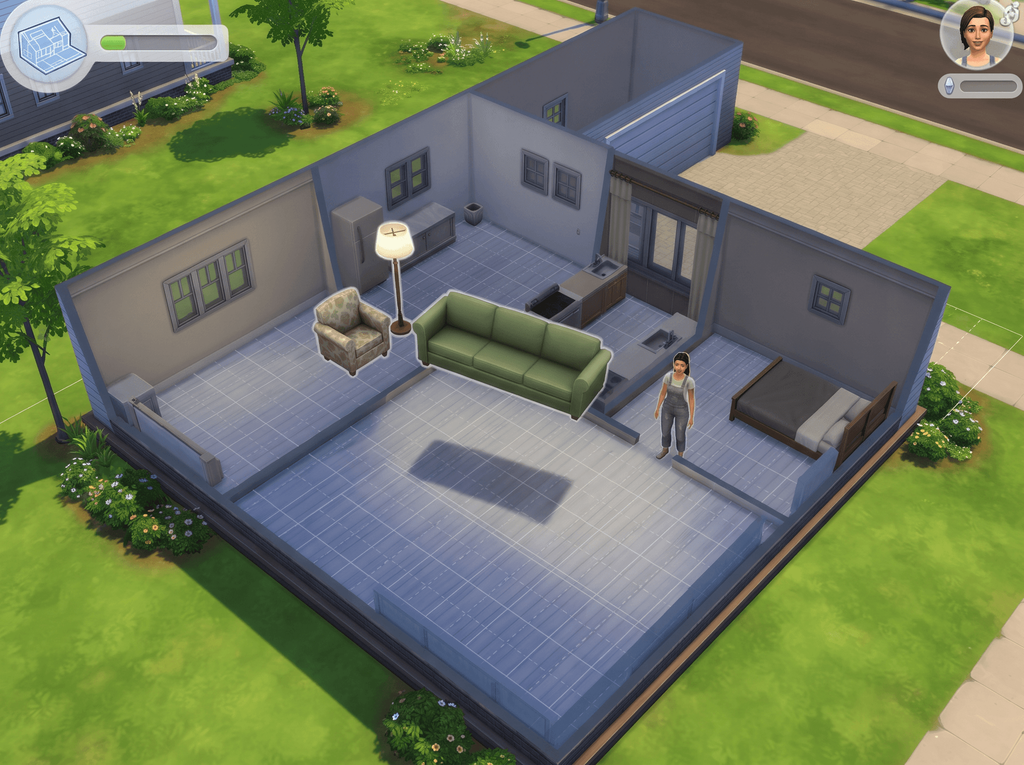
Place objects where you want them
One command, and the grid stops arguing with you. It is the cheat most builders leave on permanently.
| Command | What it does | Notes | Copy |
|---|---|---|---|
Commandbb.moveobjects | What it doesRemoves placement restrictions, so objects can overlap, clip into each other and sit off the grid. | NotesOften typed as bb.moveobjects on. Both forms are in common use. Hold Alt while you drag an object for free rotation and off-grid nudging. |
Unlock hidden and locked objects
Three commands that widen the Build mode catalogue. Enter them while you are in Build mode, then search the catalogue for what they added.
| Command | What it does | Notes | Copy |
|---|---|---|---|
Commandbb.showhiddenobjects | What it doesShows the debug catalogue: scenery, clutter and event objects that you cannot normally buy. | NotesThe community calls this the buydebug cheat. Type debug into the catalogue search box to list everything it added. | |
Commandbb.showliveeditobjects | What it doesUnlocks a further set of environment and world decoration objects, the pieces the worlds themselves are built from. | NotesAdds hundreds of objects. Best run after bb.showhiddenobjects. | |
Commandbb.ignoregameplayunlocksentitlement | What it doesMakes career reward objects and other gameplay-locked items purchasable without earning them. | NotesEnter it while you are in Build mode. This is the one that puts career reward objects in the catalogue before anyone in the household has earned them. |
Build on locked lots, and pay nothing for them
The two cheats that change which lots you are allowed to touch, rather than what you can put on them.
| Command | What it does | Notes | Copy |
|---|---|---|---|
Commandbb.enablefreebuild | What it doesLets you build and edit on locked lots, including career venues and the Magic Realm. | NotesTravel to the lot you want to edit before you try it. The guides checked for this page do not say whether that is required. | |
CommandFreeRealEstate on | What it doesMakes every residential lot in the world cost §0, so your household can move into any of them. | NotesType it from the world map, not from inside a lot. It does nothing if you enter it while you are on a lot. | |
CommandFreeRealEstate off | What it doesPuts the lot prices back to normal. | Notes | |
Commandbb.increaserentalunitcap on | What it doesRaises the six-unit cap on the number of rental units a property can hold. | NotesFor Rent. Only one of the guides checked for this page lists it, so treat it as unconfirmed: if nothing changes, the cap is still six. bb.increaserentalunitcap off reverses it. |
If a build cheat does nothing
- Mind where you type it.
FreeRealEstateonly works from the world map,bb.ignoregameplayunlocksentitlementwants you in Build mode, andbb.enablefreebuildwants you on the locked lot itself. - Check the spelling. There are no spaces inside a
bb.command, and a space ends the argument, which is why a mistyped command just sits there. - Try the other form. If
bb.moveobjectsis ignored, enterbb.moveobjects on. Both are documented. - After
bb.showhiddenobjects, the new items appear when you search fordebug. They are not a new category tab. - A script mod built for an older patch can leave the interface glitched, which looks a lot like a cheat failing.
- Still stuck? Sims 4 cheats not working goes through the causes in the order that fixes them.
Place objects anywhere with bb.moveobjects
- Objects overlap, clip into walls and sit off the grid.
- Hold Alt while dragging for free rotation.
bb.moveobjects ondoes the same thing.
Resize an object
- PlayStation: hold L2 and R2, then press up or down on the D-pad.
- Xbox: hold LT and RT, then press up or down on the D-pad.
- PC and Mac: most guides give [ and ] with the object selected. EA documents the controller pair only, so treat the keys as a tip rather than a guarantee.
Free houses with FreeRealEstate
FreeRealEstate onsets every residential lot to §0.FreeRealEstate offputs the prices back.
Xbox, PlayStation and achievements
- EA states that Build mode cheats do not disable Achievements or Trophies. Cheats that need
testingcheats truedo, for that save only. - Xbox: hold RB, RT, LB and LT together.
- PlayStation: hold R1, R2, L1 and L2.
- Type the command with the on-screen keyboard and press Enter.
What the UI Cheats Extension does here
Build mode: the console only
- Build mode is not in the mod's feature list.
- The
bb.commands are the only route.
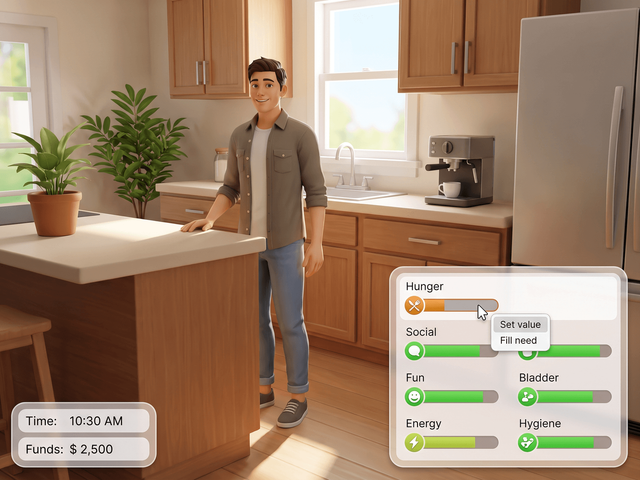
What it does cover
- Needs, funds, skills and careers, by right-click.
- Free, for PC and Mac, by weerbesu.
Frequently asked questions
How do I move objects anywhere?
Open the cheat console, type bb.moveobjects and press Enter. Placement rules switch off, so objects can overlap, clip into walls and sit between grid squares. Hold Alt while you drag for free rotation and off-grid nudging. Many players type it as bb.moveobjects on instead; both spellings are documented.
Do Build mode cheats need testingcheats true?
No. The bb. commands and FreeRealEstate run on a save where cheats were never switched on. EA lists them separately from the cheats that sit behind the master switch.
How do I see the hidden objects?
Enter bb.showhiddenobjects, then type debug into the catalogue search box. You get the scenery, clutter and event objects the game builds its worlds from. Follow it with bb.showliveeditobjects for a second, larger set of world decoration pieces.
How do I make houses free?
Go out to the world map, open the console there and enter FreeRealEstate on. Every residential lot costs §0 until you enter FreeRealEstate off. Entering it from inside a lot does nothing, which is the usual reason players think it is broken.
Do Build mode cheats disable achievements?
No. EA states that Build mode cheats do not disable Achievements or Trophies, which is why they are the one group console players can use freely. Anything that needs testingcheats true is a different matter: on Xbox and PlayStation that disables achievements for the save you are playing.