On this page
Sims 4 full edit mode cheat
Updated Last verified 23 September 2026
Turn cheats on, then type cas.fulleditmode. Shift-click any Sim, pick Modify in CAS, and every field opens: age, name, gender, traits, aspiration, body, walk and voice.
Top full edit mode cheats
| Command | What it does | Notes | Copy |
|---|---|---|---|
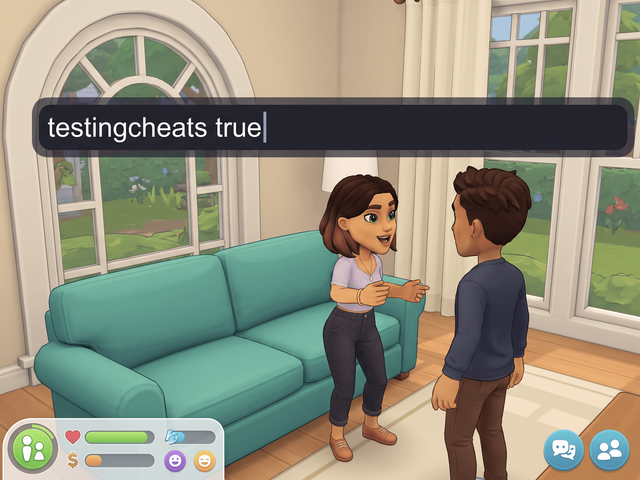
Commandtestingcheats true | What it doesTurns on every cheat that is not available by default, including all of the shift-click menus. | Notes | |
Commandcas.fulleditmode | What it doesUnlocks every field in Create a Sim, including the three personality traits, the aspiration, age, gender, body and occult status. | NotesThe console prints no confirmation for this one. Type it in Live mode, then shift-click the Sim and choose Modify in CAS. | |
CommandShift-click a Sim > Modify in CAS | What it doesOpens the selected Sim in Create a Sim. | NotesWithout cas.fulleditmode first, most fields stay locked. On console, shift-click is Circle and X, or B and A. | |
Commandcas.fulleditmode off | What it doesPuts Create a Sim back to the normal restricted edit. | NotesFull edit mode also stops applying when you quit the game, so expect to type it again. | |
Commandcas.unlockbytag <PackCode> | What it doesUnlocks that pack's achievement-locked and reward-locked Create a Sim items. | NotesType it again after you switch Sim, age group or body frame, because the unlock does not carry across. |
Open the cheat console
| Platform | Keys |
|---|---|
| Windows | Ctrl + Shift + C |
| Mac | Ctrl + Shift + C, or Command + Shift + C |
| PlayStation | R1 + R2 + L1 + L2 together |
| Xbox | RB + RT + LB + LT together |
Both commands go in the same bar.
Mac keys, console keys and the order the commands go in
EA's cheats FAQ gives Ctrl + Shift + C for PC and Mac alike, while several guides give Command + Shift + C on a Mac. Try one and fall back to the other.
On console, hold all four shoulder buttons, type the cheat with the on-screen keyboard and press Enter. Pressing all four again closes the bar.
The order matters. testingcheats true is the master switch that puts the cheat menu on a shift-click. cas.fulleditmode is a separate command that changes what Modify in CAS lets you edit. Most reports of the cheat "not working" are the first command missing. The full walkthrough is on how to enable cheats in The Sims 4.
Every full edit mode command
Turn full edit mode on
Two separate commands. The master switch unlocks the shift-click menu; full edit mode changes what that menu lets you edit.
| Command | What it does | Notes | Copy |
|---|---|---|---|
Commandtestingcheats true | What it doesTurns on every cheat that is not available by default, including all of the shift-click menus. | Notes | |
Commandcas.fulleditmode | What it doesUnlocks every field in Create a Sim, including the three personality traits, the aspiration, age, gender, body and occult status. | NotesThe console prints no confirmation for this one. Type it in Live mode, then shift-click the Sim and choose Modify in CAS. | |
Commandcas.fulleditmode off | What it doesPuts Create a Sim back to the normal restricted edit. | NotesFull edit mode also stops applying when you quit the game, so expect to type it again. |
Open a Sim in Create a Sim
Two ways in. Either one gives you the full editor once the command above is on.
| Command | What it does | Notes | Copy |
|---|---|---|---|
CommandShift-click a Sim > Modify in CAS | What it doesOpens the selected Sim in Create a Sim. | NotesWithout cas.fulleditmode first, most fields stay locked. On console, shift-click is Circle and X, or B and A. | |
CommandClick a mirror or dresser > Change Sim | What it doesOpens the same Create a Sim editor without shift-clicking anything. | NotesHandy on console, where shift-click is a two-button hold. |
Unlock a pack's locked items
Full edit mode opens the fields. This one opens the items you have not earned yet. Pack codes are listed below the table.
| Command | What it does | Notes | Copy |
|---|---|---|---|
Commandcas.unlockbytag <PackCode> | What it doesUnlocks that pack's achievement-locked and reward-locked Create a Sim items. | NotesType it again after you switch Sim, age group or body frame, because the unlock does not carry across. | |
Commandcas.unlockbytag EP08 | What it doesWorked example: unlocks Discover University's locked items. | Notes | |
Commandcas.unlockbytag GP04 | What it doesWorked example: unlocks the Vampires game pack's locked items. | Notes |
Turn it on and edit a Sim

Type both commands
Open the console, enter testingcheats true, then cas.fulleditmode.
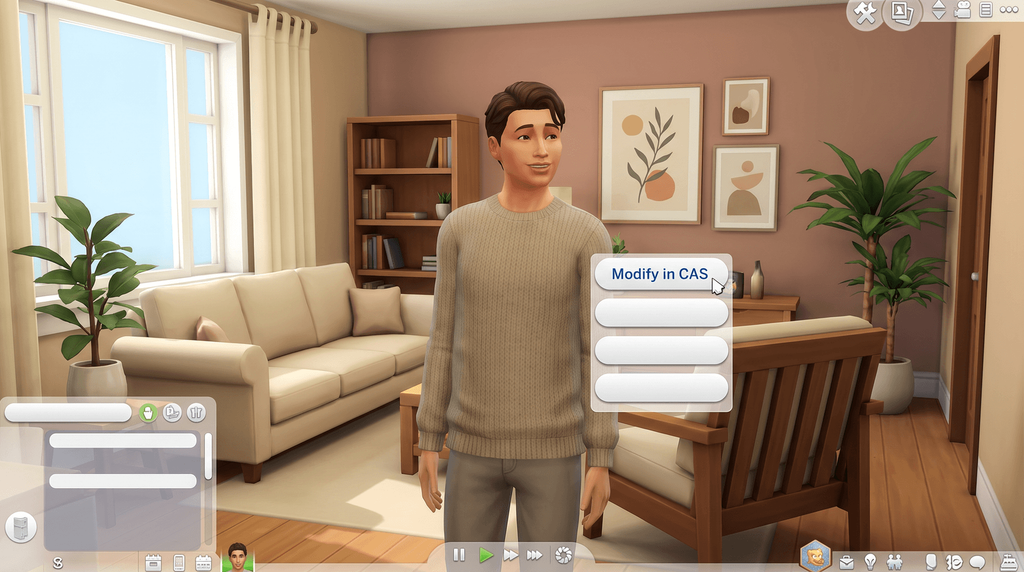
Shift-click the Sim and pick Modify in CAS
On console, hold Circle and press X, or B and A.
What full edit mode unlocks
Identity
- Age and life stage.
- First and last name.
- Gender settings.
Body and face
- Every body slider.
- Face shape.
- Walk style and voice.
Personality
- All three traits.
- The aspiration.
Unlock locked Create a Sim items
cas.unlockbytag EP08 opens Discover University's locked Create a Sim items. Run it again after you change Sim, age group or body frame.
| Command | What it does | Notes | Copy |
|---|---|---|---|
Commandcas.unlockbytag <PackCode> | What it doesUnlocks that pack's achievement-locked and reward-locked Create a Sim items. | NotesType it again after you switch Sim, age group or body frame, because the unlock does not carry across. | |
Commandcas.unlockbytag EP08 | What it doesWorked example: unlocks Discover University's locked items. | Notes | |
Commandcas.unlockbytag GP04 | What it doesWorked example: unlocks the Vampires game pack's locked items. | Notes |
Every pack code: EP01 to EP21 and GP01 to GP12
Stuff packs start at SP01 and kits carry on the same SP numbering with gaps in it, so a kit code has to be looked up rather than worked out.
| Code | Pack |
|---|---|
EP01 | Get to Work |
EP02 | Get Together |
EP03 | City Living |
EP04 | Cats & Dogs |
EP05 | Seasons |
EP06 | Get Famous |
EP07 | Island Living |
EP08 | Discover University |
EP09 | Eco Lifestyle |
EP10 | Snowy Escape |
EP11 | Cottage Living |
EP12 | High School Years |
EP13 | Growing Together |
EP14 | Horse Ranch |
EP15 | For Rent |
EP16 | Lovestruck |
EP17 | Life & Death |
EP18 | Businesses & Hobbies |
EP19 | Enchanted by Nature |
EP20 | Adventure Awaits |
EP21 | Royalty & Legacy |
| Code | Pack |
|---|---|
GP01 | Outdoor Retreat |
GP02 | Spa Day |
GP03 | Dine Out |
GP04 | Vampires |
GP05 | Parenthood |
GP06 | Jungle Adventure |
GP07 | StrangerVille |
GP08 | Realm of Magic |
GP09 | Journey to Batuu |
GP10 | Dream Home Decorator |
GP11 | My Wedding Stories |
GP12 | Werewolves |
EP21 is listed because the numbering is documented, but no source we could reach tested that exact string. EP08 and GP04 are the two worked examples on this page.
With the UI Cheats Extension
UI Cheats Extension is a free script mod by weerbesu. It edits traits straight from the Simology panel.
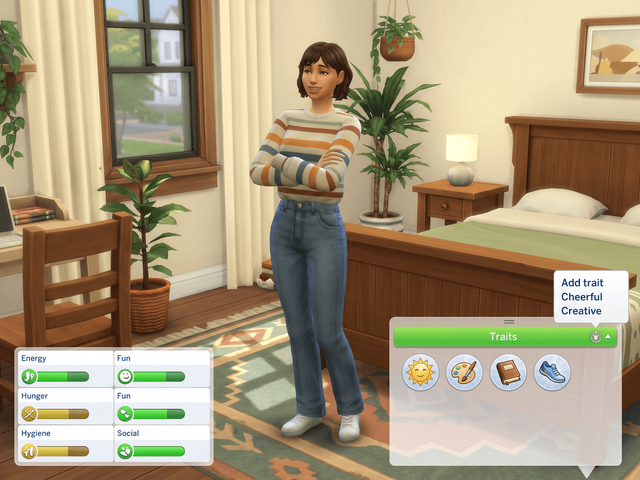
Traits in Simology
- Right-click the Traits bar to add one.
- Right-click a trait to remove it.
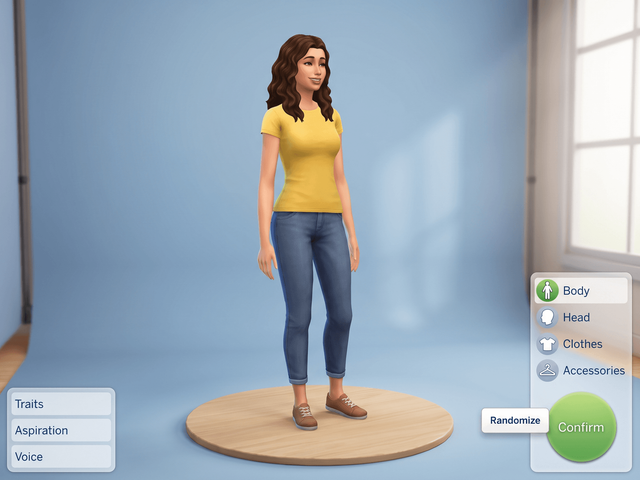
What the mod does not replace
The mod never opens Create a Sim for you. There is no rename feature either, and no way to change age, body sliders or voice from a panel, so cas.fulleditmode stays a typed command. The mod also needs Script Mods Allowed switched on in Game Options and has to match your game version. The install guide covers the setup, and every UI Cheats feature lists the other panels it touches.
Frequently asked questions
What is the full edit mode cheat in The Sims 4?
Type testingcheats true, then cas.fulleditmode. Shift-click the Sim, pick Modify in CAS, and Create a Sim opens with every field unlocked instead of the short list you normally get.
Does cas.fulleditmode stay on?
No. It stops applying when you quit the game, and cas.fulleditmode off ends it sooner. Type it again in each session.
Why is Modify in CAS missing from the menu?
The master switch is off. testingcheats true is what puts the cheat menu on a shift-click; cas.fulleditmode only changes what that menu lets you edit once you are inside Create a Sim.
Can you change a Sim’s traits and aspiration this way?
Yes. Full edit mode unlocks all three traits and the aspiration, along with age, name, gender, the body and face sliders, the walk style and the voice.
How do you unlock locked Create a Sim items?
Use cas.unlockbytag with the pack code, for example cas.unlockbytag EP08 for Discover University. Run it again after you switch Sim, age group or body frame, because the unlock does not carry across.