On this page
Sims 4 pet cheats
Updated Last verified 23 September 2026
Cats and dogs have no skills of their own. stats.set_skill_level Skill_Dog 5 maxes the Pet Training skill on the Sim doing the training.
Top pet cheats
| Command | What it does | Notes | Copy |
|---|---|---|---|
Commandstats.set_skill_level Skill_Dog 5 | What it doesSets the Pet Training skill. | NotesPet Training is a minor skill and caps at 5. One guide spells the token Skill_DogTraining; five give this spelling, so start here. | |
Commandstats.set_skill_level Major_Vet 10 | What it doesSets the Veterinarian skill. | NotesOne guide spells the token Major_Veterinarian; four give Major_Vet, so start here. | |
Commandbucks.unlock_perk AdditionalVet_1 true | What it doesUnlocks a second vet slot, so two Sims can treat patients at once. | Notes | |
Commandsims.get_sim_id_by_name <FirstName> <LastName> | What it doesPrints the numeric identifier of a Sim, a pet or a horse, which the pet commands need. | Notes | |
Commandtraits.equip_trait Ghost_OldAge <PetID> | What it doesTurns the pet with that identifier into a ghost. | NotesGet the identifier from sims.get_sim_id_by_name first. |
Open the cheat console
| Platform | Keys |
|---|---|
| Windows | Ctrl + Shift + C |
| Mac | Ctrl + Shift + C, or Command + Shift + C |
| PlayStation | R1 + R2 + L1 + L2 together |
| Xbox | RB + RT + LB + LT together |
Every pet cheat
Pet skills, which belong to the Sim
Both of these go on the Sim who is doing the training or the treating, not on the animal.
| Command | What it does | Notes | Copy |
|---|---|---|---|
Commandstats.set_skill_level Skill_Dog 5 | What it doesSets the Pet Training skill. | NotesPet Training is a minor skill and caps at 5. One guide spells the token Skill_DogTraining; five give this spelling, so start here. | |
Commandstats.set_skill_level Major_Vet 10 | What it doesSets the Veterinarian skill. | NotesOne guide spells the token Major_Veterinarian; four give Major_Vet, so start here. |
Find an animal's identifier
A few commands need the animal’s numeric identifier as a trailing argument.
| Command | What it does | Notes | Copy |
|---|---|---|---|
Commandsims.get_sim_id_by_name <FirstName> <LastName> | What it doesPrints the numeric identifier of a Sim, a pet or a horse, which the pet commands need. | Notes |
Pet ghosts
The only pet commands that take an identifier.
| Command | What it does | Notes | Copy |
|---|---|---|---|
Commandtraits.equip_trait Ghost_OldAge <PetID> | What it doesTurns the pet with that identifier into a ghost. | NotesGet the identifier from sims.get_sim_id_by_name first. | |
Commandtraits.remove_trait Ghost_OldAge <PetID> | What it doesBrings that pet back to life. | NotesPC Gamer words this one as something you should also be able to do rather than as a confirmed result, so test it on a save you have backed up. |
Getting an animal's identifier right
The ghost commands are the only pet commands that take a number. sims.get_sim_id_by_name with the animal's first and last name prints it into the console, and you paste that number on the end of the trait command.
Pets in the household use the household surname, which is what trips most people up. If nothing prints, check the spelling against the Sim's portrait.
Unlock vet clinic perks
Type the perk name and true
Each perk takes its own name and the word
true. No identifier, no number.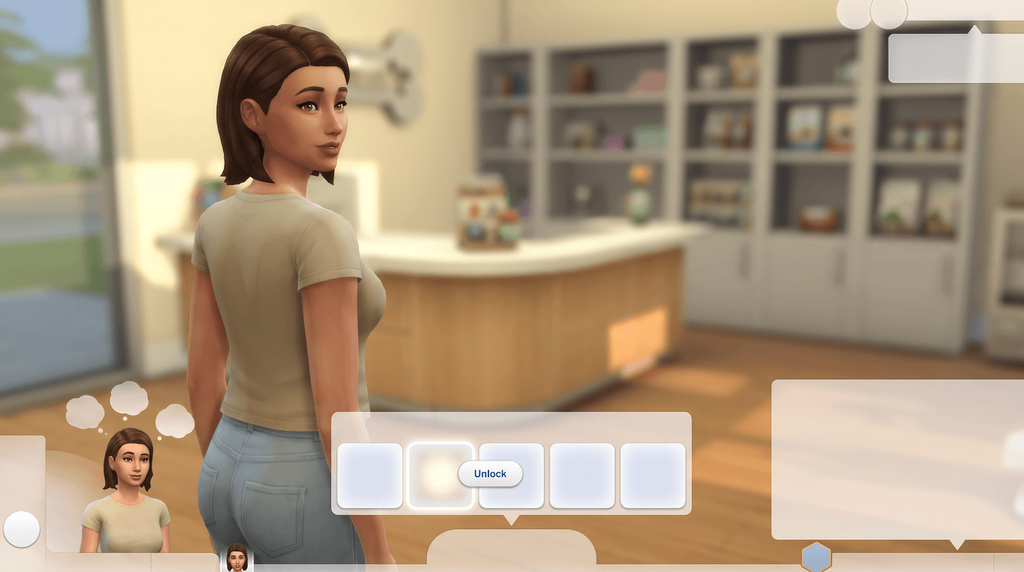
Check the clinic's perk panel
The tile lights up once the perk is unlocked.
| Command | What it does | Notes | Copy |
|---|---|---|---|
Commandbucks.unlock_perk AdditionalVet_1 true | What it doesUnlocks a second vet slot, so two Sims can treat patients at once. | Notes | |
Commandbucks.unlock_perk AdditionalVet_2 true | What it doesUnlocks a third vet slot. | Notes | |
Commandbucks.unlock_perk SupplyQuality true | What it doesRaises the quality of the clinic’s supplies. | Notes | |
Commandbucks.unlock_perk ReducePetStress true | What it doesKeeps patients calmer while they are being treated. | Notes | |
Commandbucks.unlock_perk UnlockCASItem true | What it doesUnlocks the vet coat in Create a Sim. | Notes | |
Commandbucks.unlock_perk vetperks_MoreCustomers true | What it doesBrings more patients to the clinic. | Notes | |
Commandbucks.unlock_perk vetperks_LengthenImpatienceTimeout true | What it doesGives patients longer before they lose patience and leave. | Notes | |
Commandbucks.unlock_perk vetperks_InspirationalSpeechSocial true | What it doesUnlocks the inspirational speech social for rallying staff. | NotesOne guide spells this one vetperks_InspirationalSpeech, without the Social. Try that if the longer name is rejected. | |
Commandbucks.unlock_perk vetperks_LowerEmployeeTrainingCost true | What it doesMakes training staff cheaper. | Notes | |
Commandbucks.unlock_perk vetperks_LowerChanceBadEvents_Small true | What it doesCuts the chance of something going wrong while you are away from the clinic. | NotesOne guide drops the vetperks_ prefix on this and two of the other perks. Keep the prefix first. |
Perk spellings that differ between guides
One guide drops the vetperks_ prefix on three of these and spells the speech perk vetperks_InspirationalSpeech, without the Social. Keep the prefix and the longer name first, and try the variant only if the command is rejected.
bucks.vet_points is not a game command. It belongs to a third-party perk points mod, so it is left off this page.
Fill or freeze an animal's needs
| Command | What it does | Notes | Copy |
|---|---|---|---|
CommandShift-click an animal > Cheat Need > Make Happy | What it doesFills every one of that animal's needs. | NotesDisable Need Decay on the same menu freezes them instead. On console, shift-click is Circle and X, or B and A. |
Why pets have no skill cheats
Setting a cat or dog's personality instead
There are no cheat tokens for cat and dog personality traits. Run cas.fulleditmode, shift-click the animal, choose Modify in CAS and set the traits there. That also lets you change the breed, the coat and the name.
One forum thread lists trait_PetQuirk_<QuirkName> and notes that a mod may be needed to aim it at the animal, so it is left off this page.
With the UI Cheats Extension
The mod removes the identifier step for perks and skills alike.
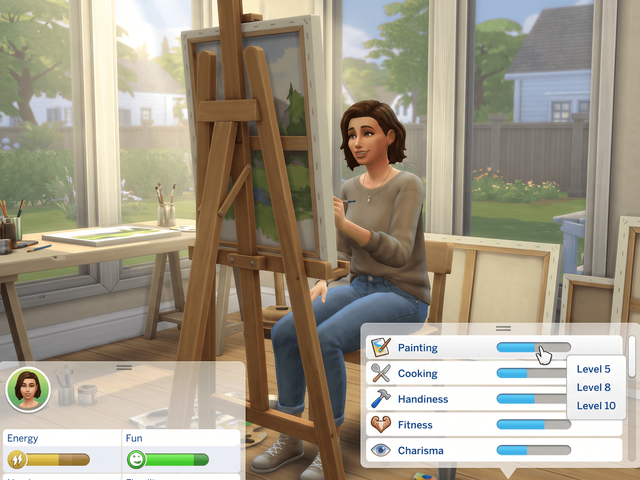
Pet and vet skills
- Right-click a skill bar in the Sim Profile panel.
- Covers pet skills since version 1.37.
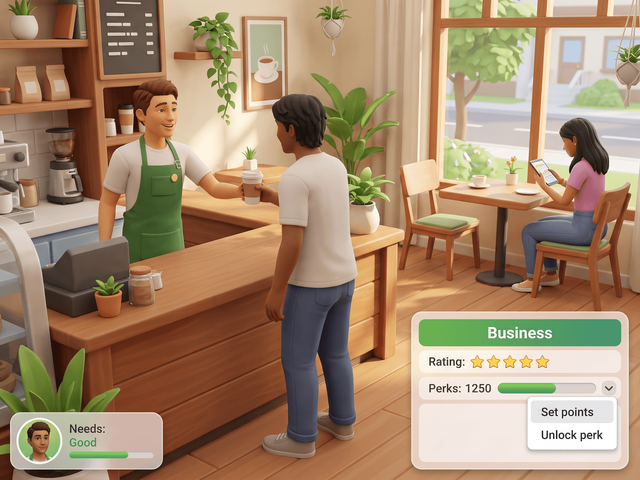
Clinic perks and rating
- Right-click a perk to unlock or lock it.
- Right-click the perk point counter or the star rating to set it.
What the mod needs
Script Mods Allowed has to be switched on in Game Options, and the mod has to match your game version. The install guide covers the setup, and every UI Cheats feature lists the other panels it touches.
Frequently asked questions
What is the pet training cheat in The Sims 4?
stats.set_skill_level Skill_Dog 5, with the Sim selected rather than the animal. Pet Training is a minor skill, so 5 is the top. One guide spells the token Skill_DogTraining; five give this spelling, so start here and fall back to the other if it is rejected.
How do you unlock all the vet clinic perks?
Run bucks.unlock_perk, the perk name and the word true, once per perk. There are ten of them, and the full list is in the table on this page. No identifier and no number go on the end: every reachable source uses the two-token form, and the figure 11557 that circulates is uncorroborated.
Can you cheat a cat or dog personality trait?
Not with a command. No source publishes a working token for cat and dog personality traits. Use cas.fulleditmode, then shift-click the animal and choose Modify in CAS, and set the traits in Create a Sim instead.
How do you fill a pet's needs?
There is no fillmotive token for an animal. With cheats on, shift-click the cat or dog, open Cheat Need and choose Make Happy. Disable Need Decay on the same menu freezes the bars where they are. On console, shift-click is Circle and X, or B and A.
How do you turn a pet into a ghost?
Get the animal's identifier with sims.get_sim_id_by_name and its first and last name, then run traits.equip_trait Ghost_OldAge with that number on the end. traits.remove_trait Ghost_OldAge and the same number brings the pet back.