On this page
Sims 4 shift-click cheats
Updated Last verified 23 September 2026
Type testingcheats true, then hold Shift and click. A Sim, an object, the ground and the mailbox each open a different cheat menu.
The five options people use
| Command | What it does | Notes | Copy |
|---|---|---|---|
Commandtestingcheats true | What it doesTurns on every cheat that is not available by default, including all of the shift-click menus. | Notes | |
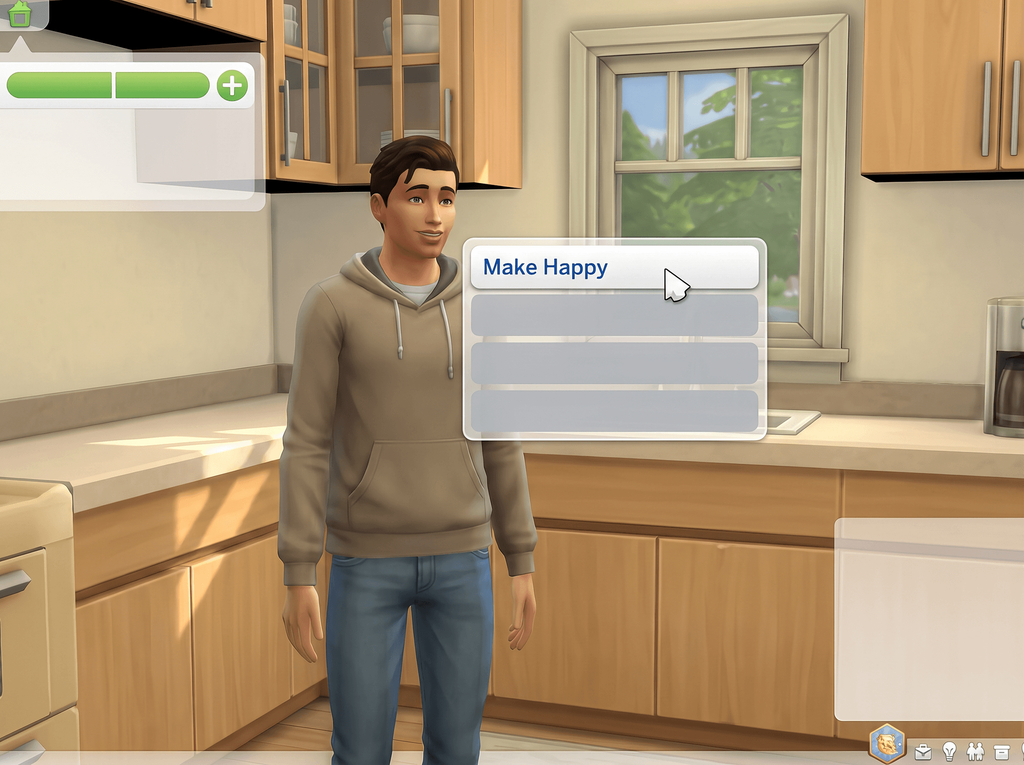
CommandShift-click a Sim > Cheat Need > Make Happy | What it doesFills every motive and sets the mood to Happy. | Notes | |
CommandShift-click a Sim > Cheat Need > Disable Need Decay | What it doesFreezes that Sim's needs where they are. | NotesIt applies to the one Sim you clicked, not the household. | |
CommandShift-click a Sim > Modify in CAS | What it doesOpens the selected Sim in Create a Sim. | NotesWithout cas.fulleditmode first, most fields stay locked. On console, shift-click is Circle and X, or B and A. | |
CommandShift-click the ground > Teleport Me Here | What it doesMoves the active Sim to the spot you clicked. | NotesEA words it Teleport Me Here; other guides print Teleport Sim or Teleport Here for the same thing. |
Turn shift-click on
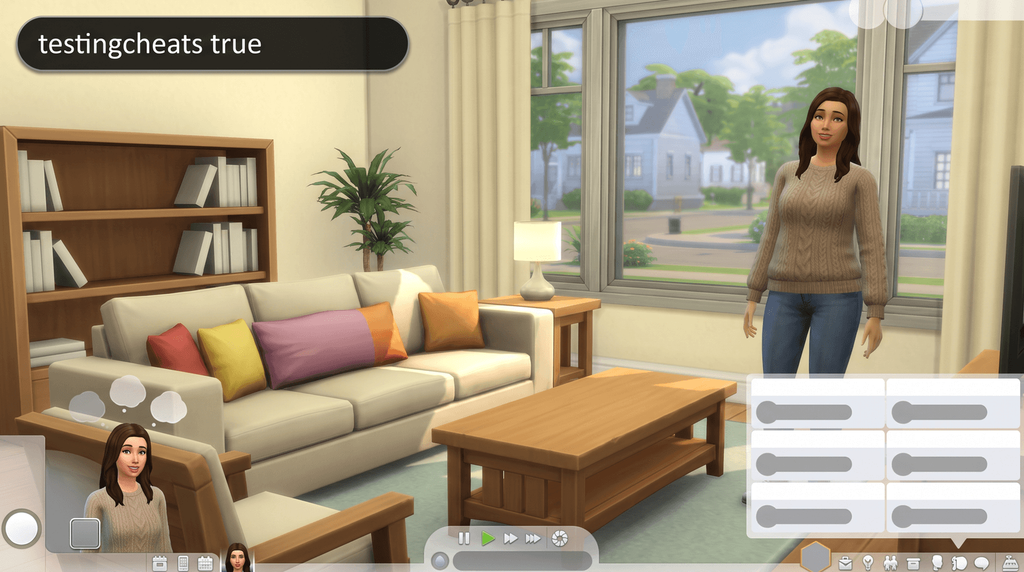
Type testingcheats true
Open the console with Ctrl + Shift + C and enter it. The bar confirms cheats are enabled.
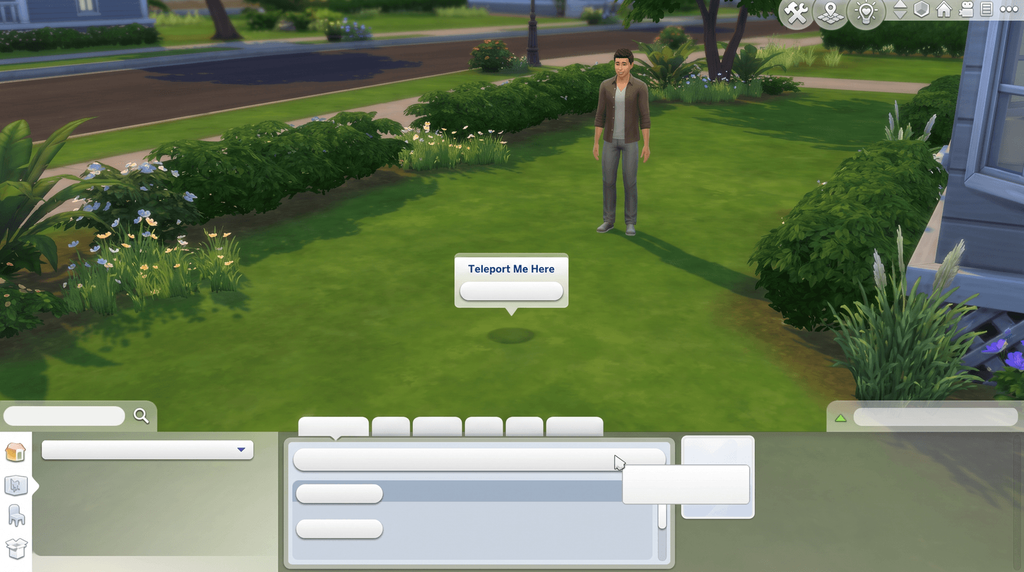
Hold Shift and click
Click a Sim, an object, the ground or the mailbox. The cheat menu opens where you clicked.
Shift-click a Sim
Moods, needs, Create a Sim, gigs and the reset that unsticks a frozen Sim.
| Command | What it does | Notes | Copy |
|---|---|---|---|
CommandShift-click a Sim > Cheat Need > Make Happy | What it doesFills every motive and sets the mood to Happy. | Notes | |
CommandShift-click a Sim > Cheat Need > Disable Need Decay | What it doesFreezes that Sim's needs where they are. | NotesIt applies to the one Sim you clicked, not the household. | |
CommandShift-click a Sim > Cheat Need > Enable Need Decay | What it doesPuts normal need decay back. | Notes | |
CommandShift-click a Sim > Modify in CAS | What it doesOpens the selected Sim in Create a Sim. | NotesWithout cas.fulleditmode first, most fields stay locked. On console, shift-click is Circle and X, or B and A. | |
CommandShift-click a Sim > Add to Family | What it doesMoves a Sim from outside your household into the active one. | Notes | |
CommandShift-click a Sim > Reset Object (Debug) | What it doesUnsticks a Sim and clears whatever they were queued to do. | NotesThe fix for a Sim frozen mid-action or stuck in a wall. | |
CommandShift-click a Sim > Cheat Sim Info > Add Preference | What it doesGives the Sim one random like or dislike. | NotesYou cannot choose which one; run it again for another. | |
CommandShift-click a Sim > Make into Plant Sim (Debug) | What it doesTurns the Sim into a PlantSim. | Notes | |
CommandShift-click a Sim > Careers Gig Picker (Debug) | What it doesPicks a specific freelance or part-time gig instead of taking what you are offered. | NotesSome of the gigs in the list only appear if you own the pack that adds them. | |
CommandShift-click a Sim > Public Image > Increase Celebrity Level | What it doesRaises fame by one star. | NotesRepeat it to reach five stars. |
Reported, not confirmed
These turn up in one guide each and nowhere else we could check, so they are not in the table above: Remove From Family, Clear Marriages, Marry Only, Lock All Motive Decay, Cheat Sim Info > Add Lifestyle, Give Bucks for Eco Lifestyle, and the Cottage Living death by Vicious Killer Rabbit. They may well exist in your game; treat a missing one as normal rather than a broken install.
Shift-click an object
Works on furniture, appliances and anything else placed on the lot.
| Command | What it does | Notes | Copy |
|---|---|---|---|
CommandShift-click an object > Make Dirty / Make Clean | What it doesFlips the object between dirty and clean. | NotesOnly one of the two shows up at a time, depending on the state the object is in. | |
CommandShift-click an object > Reset Object (Debug) | What it doesResets an object that has stopped working or is stuck in use. | Notes | |
CommandShift-click an object > Set as Head | What it doesPuts the object on the Sim's head in place of it. | NotesTwo guides give this label; some pages call it Make Head. |
Shift-click the ground or the mailbox
The ground moves one Sim. The mailbox handles the whole household at once.
| Command | What it does | Notes | Copy |
|---|---|---|---|
CommandShift-click the ground > Teleport Me Here | What it doesMoves the active Sim to the spot you clicked. | NotesEA words it Teleport Me Here; other guides print Teleport Sim or Teleport Here for the same thing. | |
CommandShift-click the mailbox > Alter Needs > Fill Needs (Household or World) | What it doesFills motives for the whole household, or for every Sim in the world. | Notes | |
CommandShift-click the mailbox > Alter Needs > Disable Needs Decay (Household or World) | What it doesFreezes need decay household-wide or world-wide. | Notes | |
CommandShift-click the mailbox > Schedule Burglar Visit | What it doesSends a burglar to the lot after midnight. | Notes |
Shift-clicking on console
| Command | What it does | Notes | Copy |
|---|---|---|---|
CommandHold Circle and press X (PlayStation), or hold B and press A (Xbox) | What it doesOpens the same cheat menus a shift-click opens on PC and Mac. | NotesAny menu you use this way needs testingcheats true, which switches off achievements for that save. |
With the UI Cheats Extension
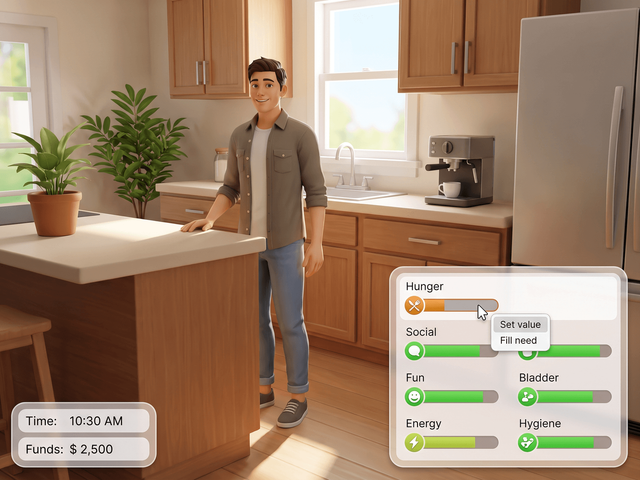
UI Cheats Extension is a free script mod by weerbesu that turns most of the Cheat Need menu into a single click on the bar itself.
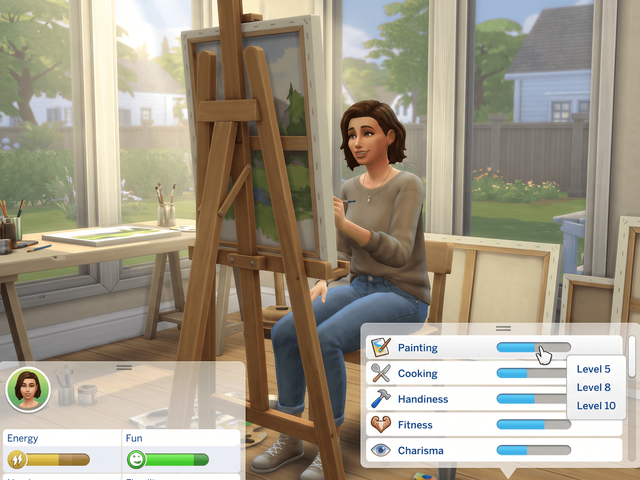
Skills and career
- Right-click a skill bar to set the level.
- Right-click career performance.
What still needs a shift-click
Anything with no live-mode element to click stays on the menu: Batuu factions, Noble Favor, small-business alignment and animal quirks, plus Reset Object, Teleport Me Here and the mailbox menus. The mod needs Script Mods Allowed switched on in Game Options and has to match your game version. The install guide covers the setup, and every UI Cheats feature lists the panels it touches.
Frequently asked questions
How do you shift-click in The Sims 4?
Open the console, type testingcheats true and press Enter. Then hold Shift and click a Sim, an object, the ground or the mailbox, and a cheat menu opens on whatever you clicked.
Why is nothing happening when I shift-click?
Almost always the master switch. testingcheats true has to be entered again every time you load a save, and it is per session rather than per save file. If the console itself will not open, work through cheats not working.
How do you shift-click on PS4, PS5 or Xbox?
There is no Shift key on a controller. Hold Circle and press X on PlayStation, or hold B and press A on Xbox, and you get the same menus.
What is the Make Happy cheat?
Shift-click the Sim, open Cheat Need and pick Make Happy. It fills every motive and sets the mood to Happy. Disable Need Decay on the same menu freezes that Sim’s needs where they are.
How do you teleport a Sim?
Shift-click the ground where you want them and pick Teleport Me Here. That is EA’s wording; other guides print Teleport Sim or Teleport Here for the same option.