On this page
Does UI Cheats work on console?
Updated Checked against UI Cheats v1.59.1
No. It is a script mod, and The Sims 4 on PlayStation and Xbox cannot load script mods of any kind.
v1.59.1· game patch 1.127.41Released · checked · Changelog on uicheats.weerbesu.com, opens in a new tab
Why script mods do not run on console
A script mod is compiled code the game has to load and run. PC and Mac have a setting for that, Script Mods Allowed, and the console versions do not.
Why this happens
The mod ships as two files, a package file and a script file. Both go into a Mods folder that the game reads at launch, under Documents on Windows and macOS. The package file draws the boxes and the script file does the work, so on a platform that never loads the script file, half the mod could not run even if you could get it there.
On PC and Mac the setting sits under Game Options, Other, and the game ignores a script file until you switch it on and restart. The console versions do not offer the setting, because they do not support script mods at all.
That is why the mod's own requirements only ever name Windows and macOS. Version 1.59.1 is built for game version 1.127.41 on those two platforms, and the only other build the author offers is a frozen Legacy Edition release for 32-bit PCs and older Macs.
What you can do instead
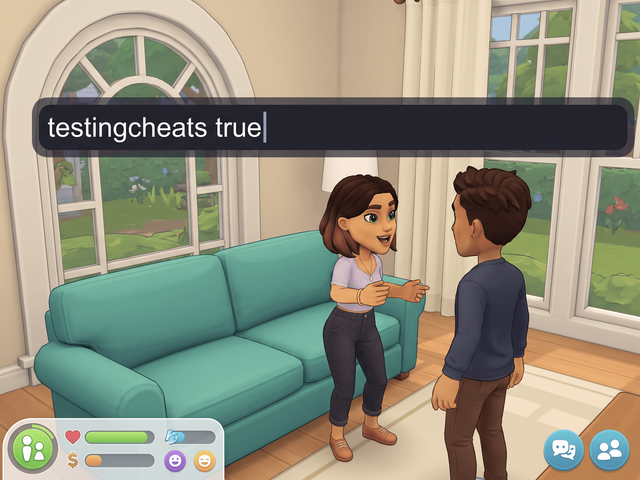
Type the cheat
- Money, skills, careers, needs, traits.
- Same commands as the PC version.
- Nothing to install.
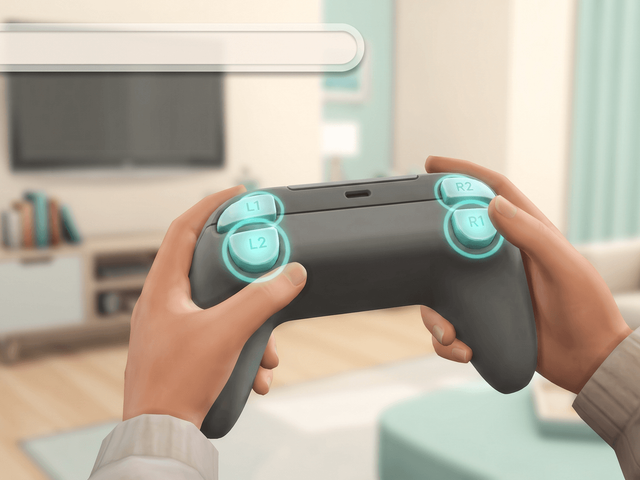
Open it on PlayStation
- Hold R1, R2, L1 and L2 together.
- A text bar opens at the top left.
- Press all four again to close it.

Open it on Xbox
- Hold RB, RT, LB and LT together.
- Type
testingcheats truefirst. - Hold B and press A to shift-click.
What typing cannot match
There is no documented command that sets a single need to an exact value the way clicking a point on the bar does with the mod. fillmotive motive_hunger fills a need instead.
Household funds go the other way. money 145897 sets the balance precisely, which is the same result the mod gives you, so all you lose there is the typing.
The other controller shortcut worth knowing: hold L2 and R2 and press up or down on the D-pad to resize the selected object in Build mode. On Xbox that is LT and RT.
Trophies and achievements
| Cheat | Needs testingcheats | Achievements and Trophies |
|---|---|---|
| motherlode, kaching, rosebud, money, FreeRealEstate on | No | Kept |
| Build mode bb. cheats, including bb.moveobjects | No | Kept |
| Skills, careers, traits, relationships, needs, aspirations | Yes | Off for that save only |
| Every shift-click menu, and cas.fulleditmode | Yes | Off for that save only |
Frequently asked questions
Does UI Cheats work on PS4, PS5 or Xbox?
No. UI Cheats Extension is a script mod, and The Sims 4 on PlayStation and Xbox does not load script mods of any kind. There is no console build and no workaround.
Some guides say it works on PlayStation 4. Are they right?
No. One widely read wiki page reports PlayStation 4 support with a different set of commands, and it is wrong. The other guides contradict it, and consoles cannot load script mods at all.
Do console cheats disable trophies and achievements?
Any cheat that needs testingcheats true switches Achievements and Trophies off for that save, and only for that save. Your other saves keep theirs. EA lists build mode cheats as not affecting them.