On this page
Sims 4 weather and season cheats
Updated Last verified 23 September 2026
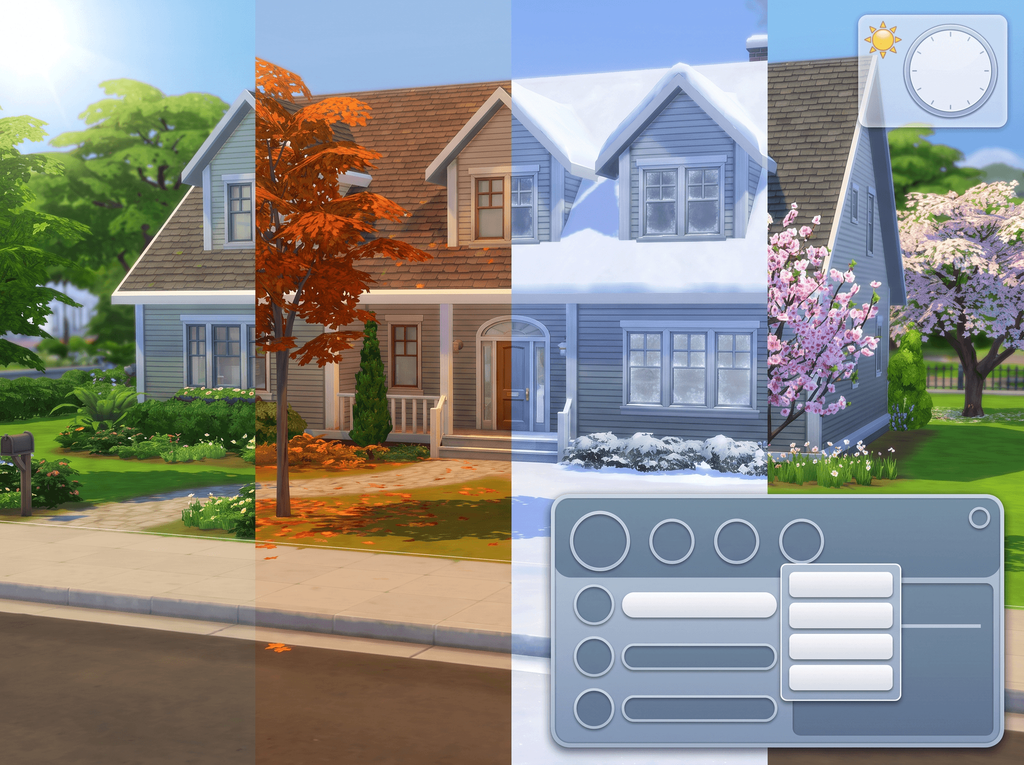
seasons.set_season 2 switches the world to Winter. Weather is a second command, weather.start_weather_event, followed by a token.
Top weather cheats
| Command | What it does | Notes | Copy |
|---|---|---|---|
Commandseasons.set_season 2 | What it doesSwitches the world to Winter. | Notes | |
Commandseasons.advance_season | What it doesMoves the calendar forward exactly one season. | NotesRun it four times to go all the way round the year. | |
Commandweather.start_weather_event weather_snow_heavy_freezing | What it doesHeavy snow at freezing temperature. | Notes | |
Commandweather.start_weather_event weather_heatwave | What it doesStarts a heatwave. | Notes | |
Commandseasons.set_season_length 3 | What it doesMakes each season twenty-eight days long. | NotesOne guide presents this command as taking literal day counts (7, 14, 28) instead; four give the index, so start with the index. |
Open the cheat console
| Platform | Keys |
|---|---|
| Windows | Ctrl + Shift + C |
| Mac | Ctrl + Shift + C, or Command + Shift + C |
| PlayStation | R1 + R2 + L1 + L2 together |
| Xbox | RB + RT + LB + LT together |
Change the season
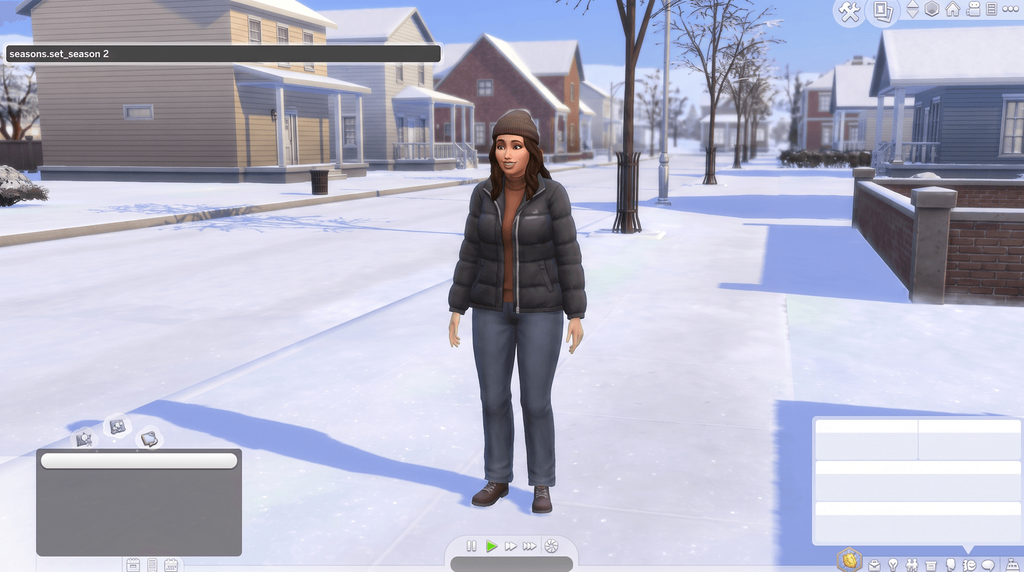
Set the season by number
0 is Summer, 1 is Fall, 2 is Winter, 3 is Spring.
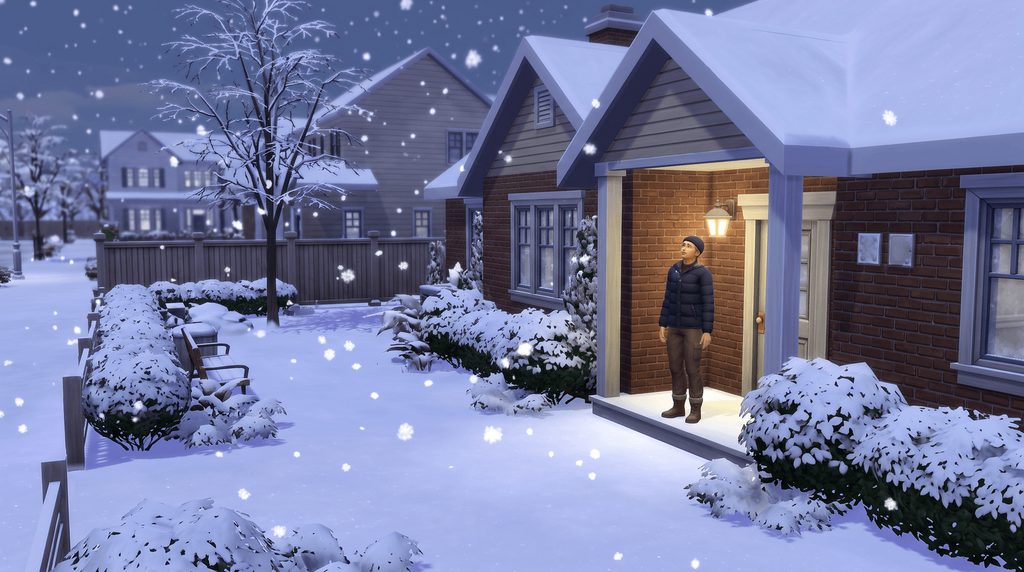
Then pick the weather
Weather follows the season, so set Winter before you ask for snow.
| Command | What it does | Notes | Copy |
|---|---|---|---|
Commandseasons.set_season 0 | What it doesSwitches the world to Summer. | Notes | |
Commandseasons.set_season 1 | What it doesSwitches the world to Fall. | Notes | |
Commandseasons.set_season 2 | What it doesSwitches the world to Winter. | Notes | |
Commandseasons.set_season 3 | What it doesSwitches the world to Spring. | Notes | |
Commandseasons.advance_season | What it doesMoves the calendar forward exactly one season. | NotesRun it four times to go all the way round the year. |
Every weather event code
Sun and clear skies
Every weather command follows the same shape: weather.start_weather_event then a token that names the weather and the temperature.
| Command | What it does | Notes | Copy |
|---|---|---|---|
Commandweather.start_weather_event weather_sunny_freezing | What it doesClear skies at freezing temperature. | Notes | |
Commandweather.start_weather_event weather_sunny_cold | What it doesClear skies, cold. | Notes | |
Commandweather.start_weather_event weather_sunny_cool | What it doesClear skies, cool. | Notes | |
Commandweather.start_weather_event weather_sunny_warm | What it doesClear skies, warm. | Notes | |
Commandweather.start_weather_event weather_sunny_hot | What it doesClear skies, hot. | Notes | |
Commandweather.start_weather_event weather_sunny_burning | What it doesClear skies at burning temperature. | Notes |
Cloud and wind
| Command | What it does | Notes | Copy |
|---|---|---|---|
Commandweather.start_weather_event weather_partlycloudy_<temperature> | What it doesPartly cloudy at the temperature you name. | NotesNo source lists the exact temperature suffixes for partly cloudy, so try the same words the other rows use. | |
Commandweather.start_weather_event weather_cloudy_freezing | What it doesOvercast at freezing temperature. | Notes | |
Commandweather.start_weather_event weather_cloudy_cold | What it doesOvercast, cold. | Notes | |
Commandweather.start_weather_event weather_cloudy_cool | What it doesOvercast, cool. | Notes | |
Commandweather.start_weather_event weather_cloudy_warm | What it doesOvercast, warm. | Notes | |
Commandweather.start_weather_event weather_cloudy_hot | What it doesOvercast, hot. | Notes | |
Commandweather.start_weather_event weather_windy_freezing | What it doesWindy at freezing temperature. | Notes | |
Commandweather.start_weather_event weather_windy_cold | What it doesWindy, cold. | Notes | |
Commandweather.start_weather_event weather_windy_warm | What it doesWindy, warm. | Notes | |
Commandweather.start_weather_event weather_windy_hot | What it doesWindy, hot. | Notes | |
Commandweather.start_weather_event weather_windy_burning | What it doesWindy at burning temperature. | Notes |
Rain, storms and sun showers
| Command | What it does | Notes | Copy |
|---|---|---|---|
Commandweather.start_weather_event weather_rain_light_cool | What it doesLight rain, cool. | Notes | |
Commandweather.start_weather_event weather_rain_light_warm | What it doesLight rain, warm. | Notes | |
Commandweather.start_weather_event weather_rain_light_hot | What it doesLight rain, hot. | Notes | |
Commandweather.start_weather_event weather_rain_heavy_cold | What it doesHeavy rain, cold. | Notes | |
Commandweather.start_weather_event weather_rain_heavy_cool | What it doesHeavy rain, cool. | Notes | |
Commandweather.start_weather_event weather_rain_heavy_warm | What it doesHeavy rain, warm. | Notes | |
Commandweather.start_weather_event weather_rain_heavy_hot | What it doesHeavy rain, hot. | Notes | |
Commandweather.start_weather_event weather_rain_storm_cold | What it doesA thunderstorm at cold temperature. | Notes | |
Commandweather.start_weather_event weather_rain_storm_warm | What it doesA thunderstorm at warm temperature. | Notes | |
Commandweather.start_weather_event weather_sunshower_cool | What it doesRain and sunshine together, cool. | Notes | |
Commandweather.start_weather_event weather_sunshower_warm | What it doesRain and sunshine together, warm. | Notes | |
Commandweather.start_weather_event weather_sunshower_hot | What it doesRain and sunshine together, hot. | Notes |
Snow
Snow needs cold weather to settle, so the tokens only go up to cool.
| Command | What it does | Notes | Copy |
|---|---|---|---|
Commandweather.start_weather_event weather_snow_light_freezing | What it doesLight snow at freezing temperature. | Notes | |
Commandweather.start_weather_event weather_snow_light_cold | What it doesLight snow, cold. | Notes | |
Commandweather.start_weather_event weather_snow_light_cool | What it doesLight snow, cool. | Notes | |
Commandweather.start_weather_event weather_snow_heavy_freezing | What it doesHeavy snow at freezing temperature. | Notes | |
Commandweather.start_weather_event weather_snow_storm | What it doesA blizzard. | Notes |
Heatwaves, thundersnow and the other specials
| Command | What it does | Notes | Copy |
|---|---|---|---|
Commandweather.start_weather_event weather_heatwave | What it doesStarts a heatwave. | Notes | |
Commandweather.start_weather_event weather_snow_thundersnow | What it doesStarts thundersnow, a snowstorm with lightning in it. | Notes | |
Commandweather.start_weather_event weather_cloudy_drylightning | What it doesBrings dry lightning under a cloudy sky. | Notes | |
Commandweather.start_weather_event weather_sunsnow | What it doesBrings snow while the sun is out. | Notes |
Reported, not confirmed
These four come from a single source each. The rows above are the ones several guides agree on.
| Command | What it does | Notes | Copy |
|---|---|---|---|
Commandseasons.set_season Summer | What it doesReported to set the season by name rather than by number. | NotesOne source gives the named form; four give the integers, so use seasons.set_season 0. | |
Commandseasons.advance_cycle | What it doesReported as another name for seasons.advance_season. | NotesOne source only, so treat it as unconfirmed rather than documented. | |
Commandweather.request_forecast <1-28> | What it doesReported to set the forecast for a day of the season. | NotesOne source only, so treat it as unconfirmed rather than documented. | |
Commandweather.lightning_strike_here | What it doesReported to strike the spot the camera is looking at. | NotesOne source only; weather.summon_lightning_strike is the corroborated one. |
Two debug strings, weather_snow_test and weather_debug_fastrain, are described inconsistently and left off this page. weather.summon_weather appears in no source at all.
How long a season lasts
| Command | What it does | Notes | Copy |
|---|---|---|---|
Commandseasons.set_season_length 0 | What it doesMakes each season seven days long. | Notes | |
Commandseasons.set_season_length 1 | What it doesMakes each season fourteen days long. | Notes | |
Commandseasons.set_season_length 3 | What it doesMakes each season twenty-eight days long. | NotesOne guide presents this command as taking literal day counts (7, 14, 28) instead; four give the index, so start with the index. |
Lightning and temperature traits
Lightning strikes
| Command | What it does | Notes | Copy |
|---|---|---|---|
Commandweather.summon_lightning_strike | What it doesCalls down a lightning strike somewhere near the active Sim. | NotesWhere it lands is up to the game. | |
Commandweather.lightning_strike_object <SimID> | What it doesStrikes one specific Sim or object. | NotesGet the identifier from sims.get_sim_id_by_name first. |
Temperature reward traits
Six traits that change how a Sim copes with the weather. Swap equip_trait for remove_trait to take one off again.
| Command | What it does | Notes | Copy |
|---|---|---|---|
Commandtraits.equip_trait ColdAcclimation | What it doesCold Acclimation. | Notes | |
Commandtraits.equip_trait IceMan | What it doesIceproof. | Notes | |
Commandtraits.equip_trait HeatAcclimation | What it doesHeat Acclimation. | Notes | |
Commandtraits.equip_trait BurningMan | What it doesHeatproof. | Notes | |
Commandtraits.equip_trait Waterproof | What it doesWaterproof. | Notes | |
Commandtraits.equip_trait Stormchaser | What it doesStorm Chaser. | Notes |
Deaths the weather can cause
Freezing and overheating are the two deaths the Seasons pack adds.
| Command | What it does | Notes | Copy |
|---|---|---|---|
Commandtraits.equip_trait Ghost_Frozen | What it doesGhost, death by freezing. | Notes | |
Commandtraits.equip_trait Ghost_Overheat | What it doesGhost, death by overheating. | Notes |
Immunity, drying off and bringing a Sim back
Cold Acclimation and Heat Acclimation take the edge off; Ice Man and Burning Man make a Sim immune outright. Waterproof keeps them dry and Stormchaser makes storms a good mood rather than a bad one.
The two weather deaths are also on the age and death cheats page, which covers bringing a ghost back. Every other reward trait is on the aspiration and reward trait page.
With the UI Cheats Extension
The mod puts the season and the weather on the clock, so neither needs a token.
- Right-click the season icon to pick a season.
- Right-click the weather icon to pick the weather.
- Right-click a holiday tradition to complete it.
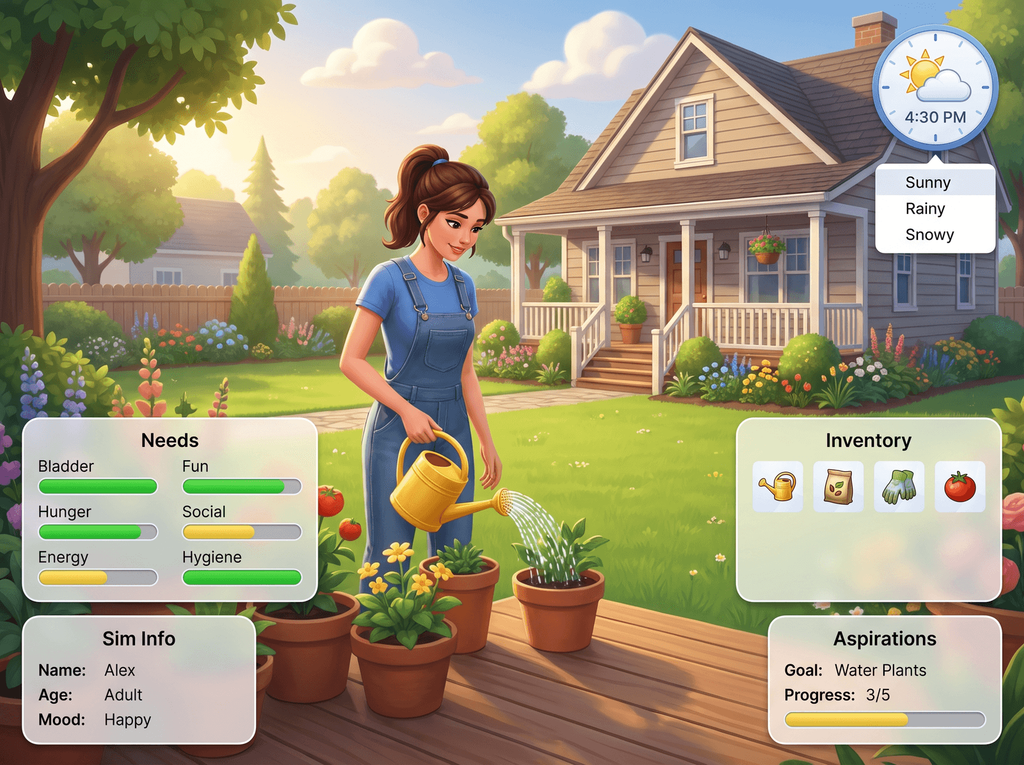
What the mod needs, and the lunar phase
With Werewolves installed, the same menu sets the lunar phase. The mod needs Script Mods Allowed switched on in Game Options and has to match your game version. The install guide covers the setup, and every UI Cheats feature lists the other panels it touches.
Frequently asked questions
How do you change the season in The Sims 4?
With cheats on, enter seasons.set_season and a number: 0 is Summer, 1 is Fall, 2 is Winter and 3 is Spring. seasons.advance_season moves the calendar on by exactly one season instead, so running it four times takes you round the year.
What is the cheat to make it snow in The Sims 4?
Enter weather.start_weather_event weather_snow_heavy_freezing for heavy snow, or weather_snow_storm for a blizzard. Snow only settles in cold weather, so the snow tokens stop at cool. Set the season to Winter first if nothing falls.
How do you start a heatwave or thundersnow?
Both are single tokens with no temperature on the end: weather.start_weather_event weather_heatwave and weather.start_weather_event weather_snow_thundersnow. The other two specials are weather_cloudy_drylightning and weather_sunsnow.
How long can a season be?
seasons.set_season_length 0 gives seven days, 1 gives fourteen and 3 gives twenty-eight. The number is an index, not a day count, and there is no value 2. One guide presents the command as taking 7, 14 and 28 directly; four give the index, so start with the index.
Are there holiday cheats in The Sims 4?
No. Nothing in the console triggers a holiday, skips one, creates one or adds a tradition. Holidays are edited through the in-game calendar. The one exception anywhere is the UI Cheats Extension, which lets you right-click a tradition to complete it.