On this page
Sims 4 cheats on PlayStation
Updated Last verified 23 September 2026
Hold L1, L2, R1 and R2 to open the cheat bar, then type with the on-screen keyboard. A PS5 runs the PS4 version, so both work the same way.

The five most used
| Command | What it does | Notes | Copy |
|---|---|---|---|
CommandHold L1 + L2 + R1 + R2 | What it doesOpens the cheat bar across the top of the screen. The same four buttons close it again. | NotesHold all four shoulder buttons at once. Type into the bar with the on-screen keyboard, then press X to run the line. | |
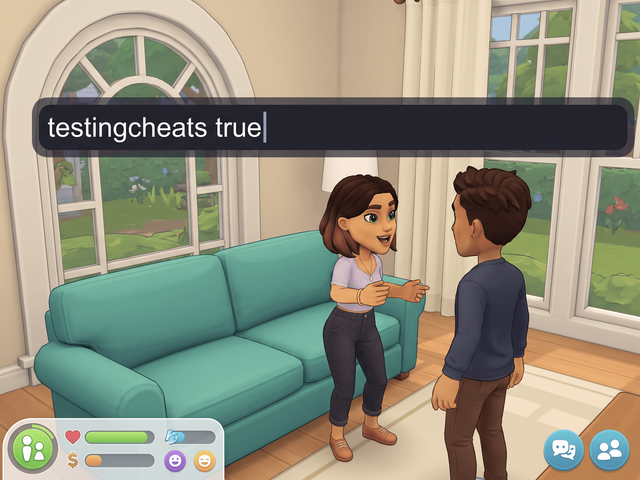
Commandtestingcheats true | What it doesTurns on every cheat that is not available by default, including all of the shift-click menus. | Notes | |
Commandmotherlode | What it doesAdds §50,000 to the active household. | NotesThe fastest way to a large balance. Type it four times for §200,000. | |
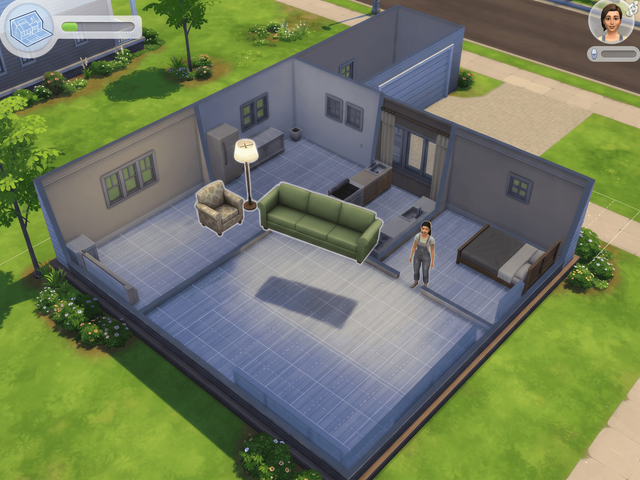
Commandbb.moveobjects | What it doesRemoves placement restrictions, so objects can overlap, clip into each other and sit off the grid. | NotesOften typed as bb.moveobjects on. Both forms are in common use. Hold Alt while you drag an object for free rotation and off-grid nudging. | |
CommandHold Circle and press X | What it doesThe PlayStation version of shift-clicking, for all the shift-click cheat menus. | NotesTurn cheats on first, or the cheat entries do not appear on the menu. |
Open the cheat bar
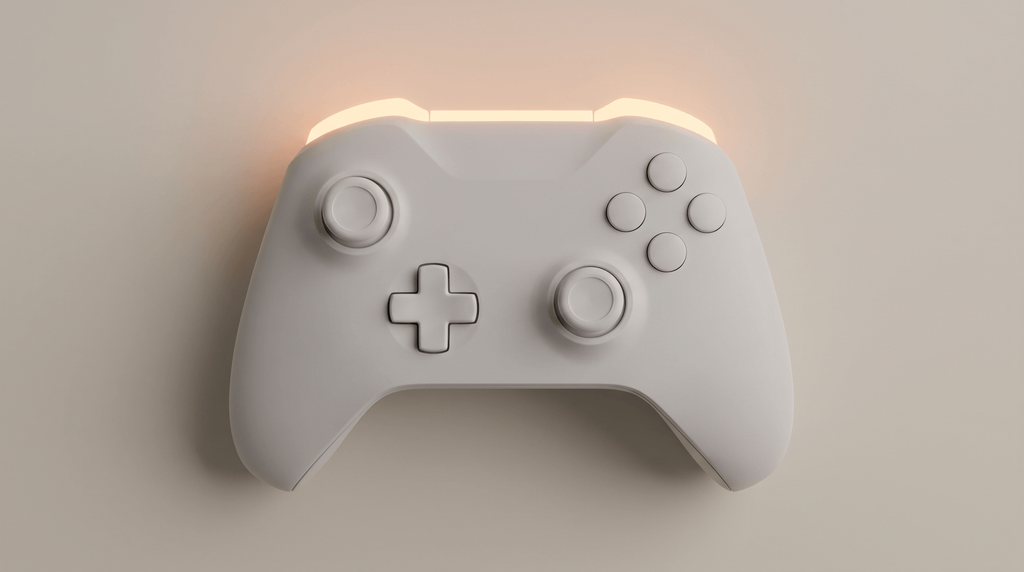
Hold all four shoulder buttons
L1, L2, R1 and R2 together. A text bar opens across the top.
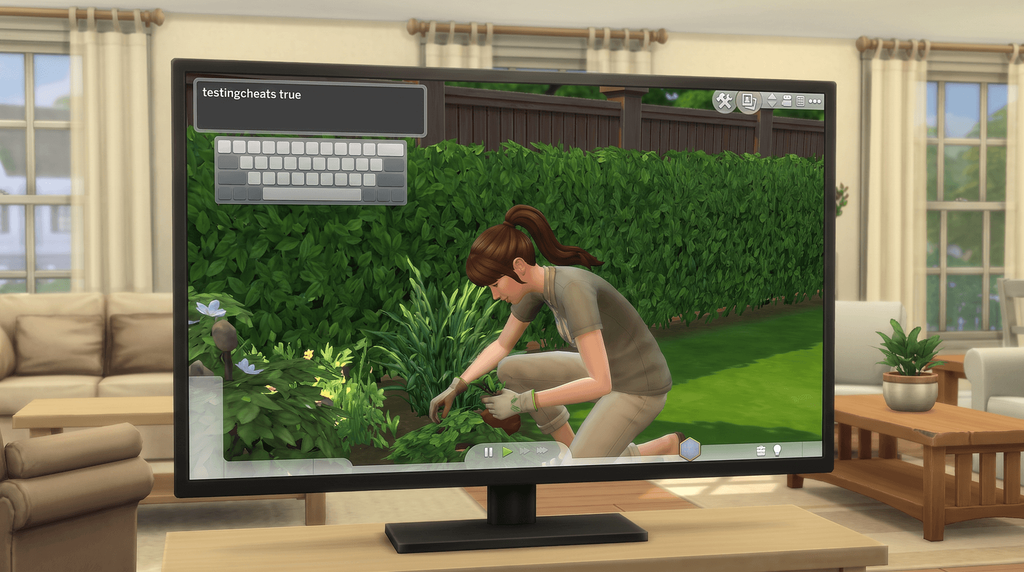
Type with the on-screen keyboard
Cheats are not case sensitive, so capitals make no difference.
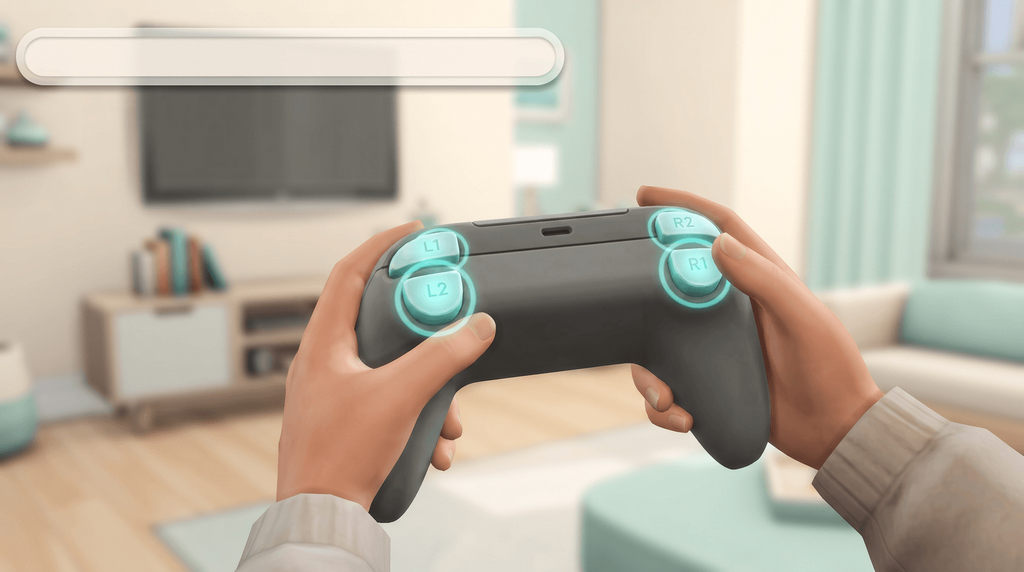
Press X to run it
The same four buttons close the bar again.
The keyboard shortcut EA mentions
EA says you can plug a USB keyboard into the console and press Ctrl + Shift + C instead. EA is the only source for it, so treat the four shoulder buttons as the documented way in and the keyboard as a convenience that may or may not answer.
Cheats and trophies
| Trophies | Commands |
|---|---|
| Safe | motherlode kaching rosebud money <amount> FreeRealEstate on FreeRealEstate off household.autopay_bills true bb.moveobjects bb.showhiddenobjects bb.showliveeditobjects bb.ignoregameplayunlocksentitlement bb.enablefreebuild |
| Off for this save | testingcheats true and every command that needs it, which is everything else on this page. |
EA's wording in full
Any cheat that needs testingcheats true switches off trophies for the save you are playing, in EA’s words it "disables Achievements and Trophies on your current game save". Your other saves are untouched. Money cheats and the bb. build cheats do not need testingcheats, so they cost you nothing. No source describes a way to turn trophy progress back on for a save once it has gone.
Source: EA cheats FAQ.
Cheats that work on PlayStation
The controller inputs
Four things you press rather than type. The rest of this page is typed into the bar.
| Command | What it does | Notes | Copy |
|---|---|---|---|
CommandHold L1 + L2 + R1 + R2 | What it doesOpens the cheat bar across the top of the screen. The same four buttons close it again. | NotesHold all four shoulder buttons at once. Type into the bar with the on-screen keyboard, then press X to run the line. | |
CommandHold Circle and press X | What it doesThe PlayStation version of shift-clicking, for all the shift-click cheat menus. | NotesTurn cheats on first, or the cheat entries do not appear on the menu. | |
CommandHold L2 + R2 and press D-pad up or down | What it doesMakes the selected object bigger or smaller. | NotesRun bb.moveobjects on first. This is the console version of the bracket keys on PC. | |
CommandCtrl + Shift + C | What it doesOpens the cheat bar from a USB keyboard plugged into the console. | NotesEA is the only source for this one. The four shoulder buttons are the documented way in, so use those if the keyboard does nothing. |
Turn cheats on
Everything below this line needs one of these first, and everything that needs them costs you trophies on this save.
| Command | What it does | Notes | Copy |
|---|---|---|---|
Commandtestingcheats true | What it doesTurns on every cheat that is not available by default, including all of the shift-click menus. | Notes | |
Commandtestingcheats on | What it doesDoes exactly the same thing. The game accepts either word. | None | |
Commandtestingcheats false | What it doesTurns those cheats back off again. | None |
Money
None of these need testingcheats, so none of them touch your trophies.
| Command | What it does | Notes | Copy |
|---|---|---|---|
Commandmotherlode | What it doesAdds §50,000 to the active household. | NotesThe fastest way to a large balance. Type it four times for §200,000. | |
Commandkaching | What it doesAdds §1,000 to the active household. | NotesUseful when you want a nudge rather than a windfall. | |
Commandrosebud | What it doesAdds §1,000. It does exactly the same thing as kaching. | NotesPick whichever of the two you find easier to type. | |
Commandmoney <amount> | What it doesSets household funds to exactly that number. It does not add to the balance. | NotesEA's example is money 145897, which leaves the household with 145,897 exactly. Because it sets rather than adds, a smaller number takes money away. One guide describes it as adding to your funds; EA's own wording is the one to follow. | |
CommandFreeRealEstate on | What it doesMakes every residential lot in the world cost §0, so you can move into any of them. | NotesType it from the world map, not from inside a lot. It does nothing if the cheat console is open on a lot. | |
CommandFreeRealEstate off | What it doesPuts the prices back. | None | |
Commandhousehold.autopay_bills true | What it doesBills are paid for you and stop arriving. | NotesListed under EA's general cheats. |
Build mode
The bb. cheats are trophy-safe too, and they are the ones console builders live on.
| Command | What it does | Notes | Copy |
|---|---|---|---|
Commandbb.moveobjects | What it doesRemoves placement restrictions, so objects can overlap, clip into each other and sit off the grid. | NotesOften typed as bb.moveobjects on. Both forms are in common use. Hold Alt while you drag an object for free rotation and off-grid nudging. | |
Commandbb.showhiddenobjects | What it doesShows the debug catalogue: scenery, clutter and event objects that you cannot normally buy. | NotesThe community calls this the buydebug cheat. Type debug into the catalogue search box to list everything it added. | |
Commandbb.showliveeditobjects | What it doesUnlocks a further set of environment and world decoration objects, the pieces the worlds themselves are built from. | NotesAdds hundreds of objects. Best run after bb.showhiddenobjects. | |
Commandbb.ignoregameplayunlocksentitlement | What it doesMakes career reward objects and other gameplay-locked items purchasable without earning them. | NotesEnter it while you are in Build mode. This is the one that puts career reward objects in the catalogue before anyone in the household has earned them. | |
Commandbb.enablefreebuild | What it doesLets you build and edit on locked lots, including career venues and the Magic Realm. | NotesTravel to the lot you want to edit before you try it. The guides checked for this page do not say whether that is required. |
Needs and mood
Short lines, which matters when you are picking letters with a thumbstick.
| Command | What it does | Notes | Copy |
|---|---|---|---|
Commandfillmotive motive_hunger | What it doesFills Hunger. | Notes | |
Commandfillmotive motive_energy | What it doesFills Energy. | Notes | |
Commandfillmotive motive_bladder | What it doesFills Bladder. | Notes | |
Commandfillmotive motive_hygiene | What it doesFills Hygiene. | Notes | |
Commandfillmotive motive_fun | What it doesFills Fun. | Notes | |
Commandfillmotive motive_social | What it doesFills Social. | Notes | |
Commandsims.fill_all_commodities | What it doesFills every need on the active Sim. | NotesEA describes it as filling the needs of the active Sim. One guide says it covers the whole household instead; if you want the household, use the command below. | |
Commandstats.fill_commodities_household | What it doesFills every need for every Sim in the current household. | NotesThis is the spelling most guides use. Try it first. | |
Commandsims.remove_all_buffs | What it doesClears every moodlet and returns the Sim to a neutral mood. | NotesGood for shifting a stubborn Sad or Embarrassed moodlet that a full needs bar will not budge. It clears the pleasant moodlets too. |
Longer lines: skills, careers and relationships
Skills
Five of the most-used skills. Every other skill on /cheats/skills/ works the same way, with a different name in the middle.
| Command | What it does | Notes | Copy |
|---|---|---|---|
Commandstats.set_skill_level Major_Charisma 10 | What it doesSets the Charisma skill. | Notes | |
Commandstats.set_skill_level Skill_Fitness 10 | What it doesSets the Fitness skill. | NotesThe prefix is Skill_, not Major_. Fitness is also the skill behind lightsaber duels in Journey to Batuu. | |
Commandstats.set_skill_level Major_HomestyleCooking 10 | What it doesSets the Cooking skill. | Notes | |
Commandstats.set_skill_level Major_Handiness 10 | What it doesSets the Handiness skill. | Notes | |
Commandstats.set_skill_level Major_Logic 10 | What it doesSets the Logic skill. | Notes |
Careers
Put the internal name of the job where <career> is. The full list is on /cheats/careers/.
| Command | What it does | Notes | Copy |
|---|---|---|---|
Commandcareers.add_career <career> | What it doesGives the selected Sim that job, starting at level one. | NotesThe Sim keeps any job they already had only if the game allows two at once, such as a career plus a part-time job. | |
Commandcareers.promote <career> | What it doesPromotes the Sim one level in that career. | NotesOne level per entry. Press the up arrow and Enter again for the next level. | |
Commandcareers.demote <career> | What it doesDemotes the Sim one level in that career. | NotesDemoting below level one removes the job. | |
Commandcareers.retire <career> | What it doesRetires the Sim from that job and starts the weekly pension. | Notes |
Relationships
The longest lines on this page. Worth the typing, because nothing on the shift-click menu does the same job.
| Command | What it does | Notes | Copy |
|---|---|---|---|
Commandmodifyrelationship <Sim1First> <Sim1Last> <Sim2First> <Sim2Last> <value> LTR_Friendship_Main | What it doesAdds that value to the friendship score between the two named Sims. | NotesBoth Sims need a first and a last name, spelled exactly as the game spells them. | |
Commandmodifyrelationship <Sim1First> <Sim1Last> <Sim2First> <Sim2Last> <value> LTR_Romance_Main | What it doesAdds that value to the romance score between the two named Sims. | NotesRomance is a separate bar from friendship. Raising one does not raise the other. |
Shift-click with a controller
Hold Circle and press X on a Sim, an object or the ground. The shift-click cheats list every menu it opens.
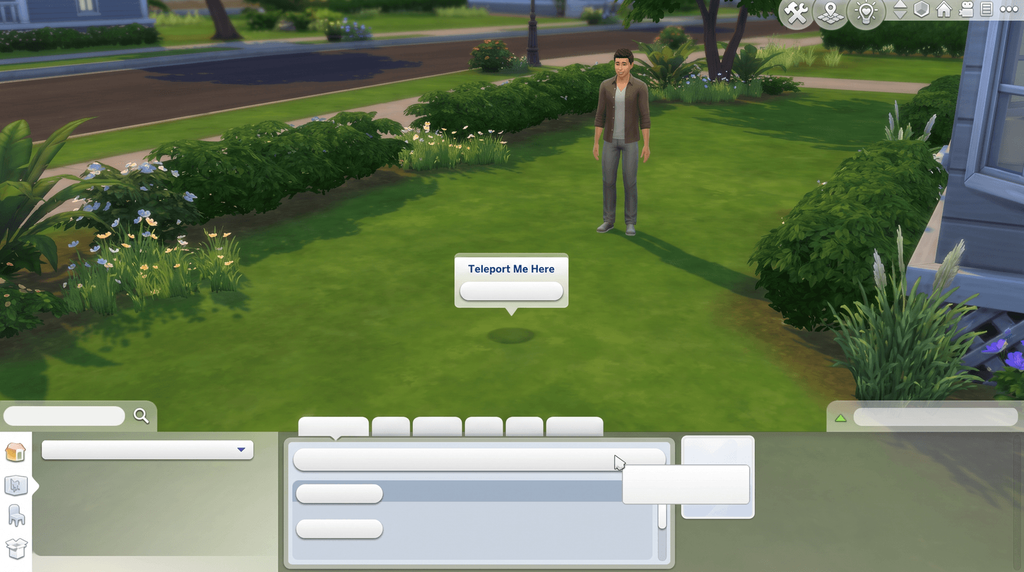
Resize objects with the D-pad
Mods and UI Cheats
Script mods are Windows and Mac only, so nothing here can be replaced by a click. Cheats on console covers why.
Why, and what the Marketplace changes
Mods and script mods only work on PC and Mac, so the UI Cheats Extension cannot be installed on a PlayStation. The Sims 4 Marketplace, which opened on 17 March 2026, is also PC and Mac only and carries cosmetic content rather than script mods, so it does not change this.
Source: EA Forums console mods FAQ; help.ea.com mods article.
Frequently asked questions
How do you open the cheat bar on PS4 and PS5?
Hold L1, L2, R1 and R2 at the same time. A text bar opens across the top of the screen. Type with the on-screen keyboard, press X to run the line, and press the same four buttons again to close it.
Do cheats disable trophies in The Sims 4?
Some do. In EA’s words, enabling some cheats on a console "disables Achievements and Trophies on your current game save", and the ones that do it are the cheats that need testingcheats true. EA also says it does not affect your other saves. motherlode, kaching, rosebud and the bb. build cheats do not need the switch, so they cost you nothing.
Can you get trophies back after cheating?
No source describes a way to turn trophy progress back on for a save once it has gone, and EA never puts a reversal in writing. The safe habit is a second save: cheat there, and keep your trophy run clean in the first one.
How do you shift-click on PlayStation?
Hold Circle and press X on the Sim, object or patch of ground. That opens the same cheat menus a shift-click opens on PC, so cheats have to be on first or the extra rows do not appear.
Can you use mods or the UI Cheats Extension on PlayStation?
No. Mods and script mods run on Windows and Mac only, so the UI Cheats Extension cannot be installed on a console. The Sims 4 Marketplace is PC and Mac only too, and carries cosmetic content rather than script mods.
Are PS5 cheats different from PS4 cheats?
They are identical. There is no native PlayStation 5 release: a PS5 runs the PlayStation 4 build through backwards compatibility, so every button combination and every command on this page behaves the same way on both.