On this page
Every UI Cheats feature, click by click
Updated Checked against UI Cheats v1.59.1
Right-click a bar, a meter or a counter in The Sims 4 and set the value yourself. No console, no testingcheats.
v1.59.1· game patch 1.127.41Released · checked · Changelog on uicheats.weerbesu.com, opens in a new tab
Free. Made by weerbesu, served from this site. Built for game patch 1.127.41. What is in the zip
The ten clicks people use most
| What you want | What you click |
|---|---|
| Set household funds exactly | Right-click the money counter |
| Add 1,000 Simoleons | Left-click the money counter |
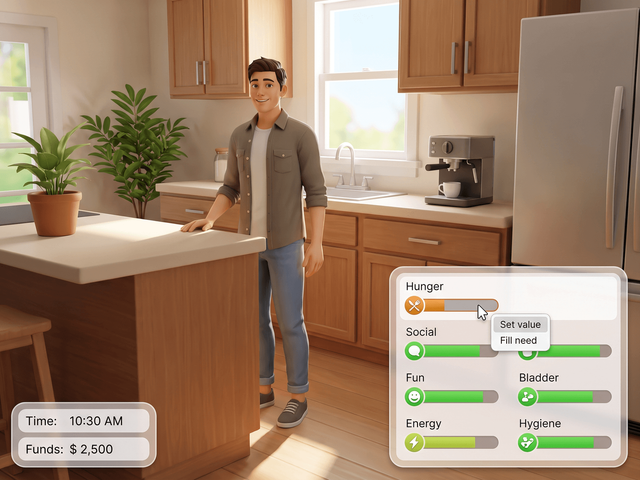
| Fill every need at once | Right-click the icon that opens the Needs panel |
| Set one need, -100 to 100 | Right-click a needs bar, then type a number |
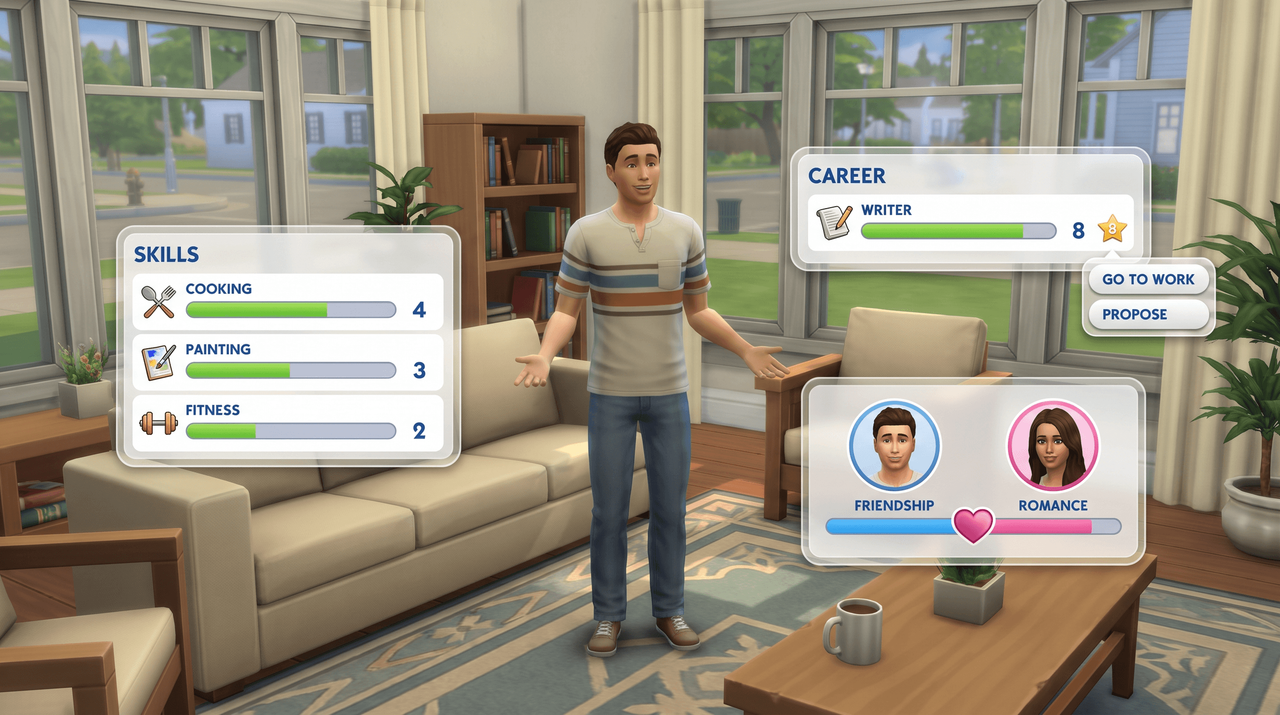
| Set a skill to any level | Right-click the skill bar and choose a level |
| Promote, demote or retire | Right-click the job icon or the green career title bar |
| Set friendship or romance | Right-click the other Sim, then type -100 to 100 |
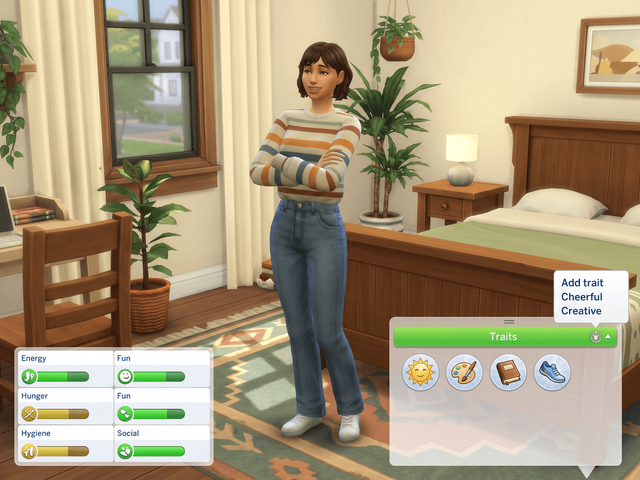
| Add a trait | Right-click the green Traits title bar |
| Remove a moodlet | Right-click the moodlet |
| Set the time of day | Right-click the clock, then type an hour from 0 to 23 |
How the controls work
Right-click
The main action. Right-click a bar, counter or green title bar and a box opens for a number or a list.
Left-click
Four things only: a needs bar, the money counter, a want, and the Balance and Imbalance bar.
Type a value
Needs, relationships and luck take -100 to 100. The clock takes 0 to 23. Everything else is a menu.
Every documented value range
-100 to 100: needs, character values, luck, friendship, romance, work and school performance, work reputation.
0 to 100: sentiment values and university course grades. 0 to 23: the hour on the clock.
-500 to 500: the eco footprint, for a lot or a neighborhood.
Needs bars have also been draggable since v1.1 in June 2015, so you can pull a motive up or down instead of clicking one spot. Nothing in the mod needs testingcheats, but both files must be installed and Script Mods Allowed must be on: how to get the mod running.
Sim panels
The panels attached to one Sim: needs, traits, age, skills, career, relationships and aspirations.
Needs
- Right-click a bar and type -100 to 100.
- Left-click a bar to set it where you clicked.
- Right-click the panel icon to fill every need.
- Drag a bar up or down.
Simology and traits
- Right-click the green Traits bar to add traits.
- Right-click one trait to remove it.
- Right-click a character value or Luck for -100 to 100.
- Fame, reputation and influence live here too.
Age
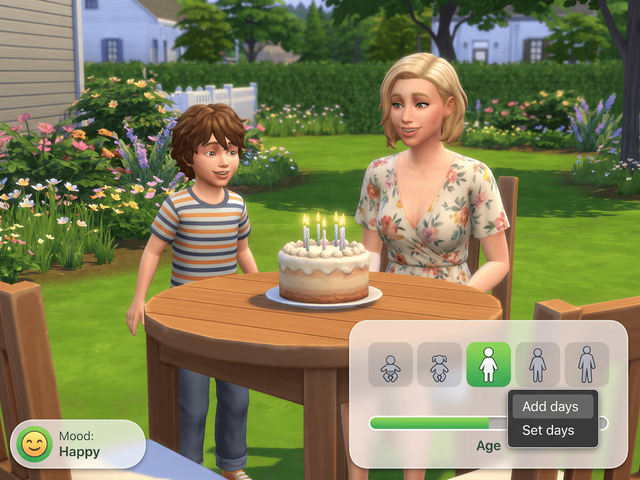
- Right-click the age bar to add or subtract days.
- Or change the total days the Sim has lived.
- No life stage jump: that one needs the console.
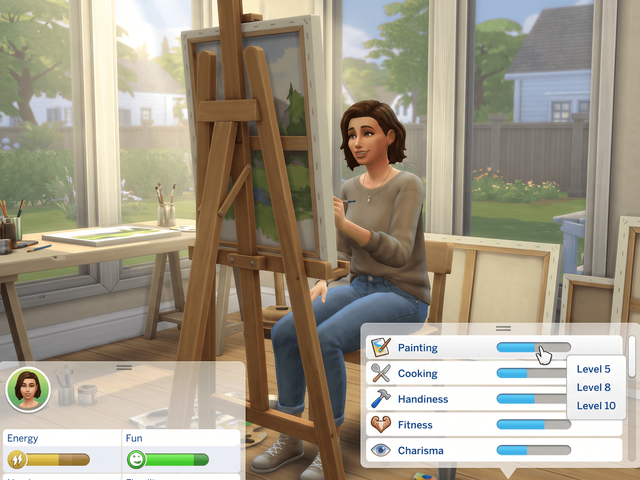
Skills
- Right-click a skill bar and pick a level.
- Right-click the panel icon to add a missing skill.
- Right-click the Mastery Perks bar to add perks.
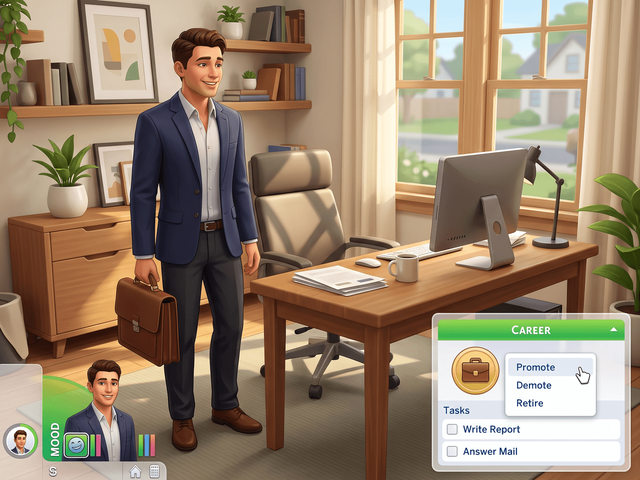
Career and school
- Right-click the job icon to promote, demote or retire.
- Jump to any level of the current branch.
- Right-click a task to complete it.
- Right-click a performance bar for -100 to 100.
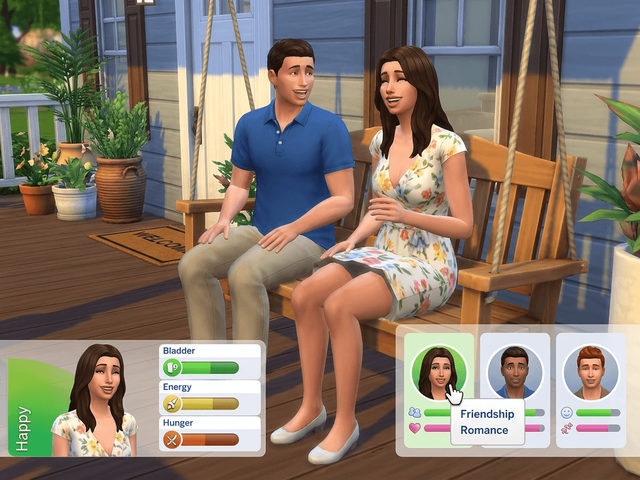
Relationships
- Right-click a Sim to set friendship or romance.
- Delete the relationship or drop the romance bar.
- Right-click the panel icon to add a Sim you never met.
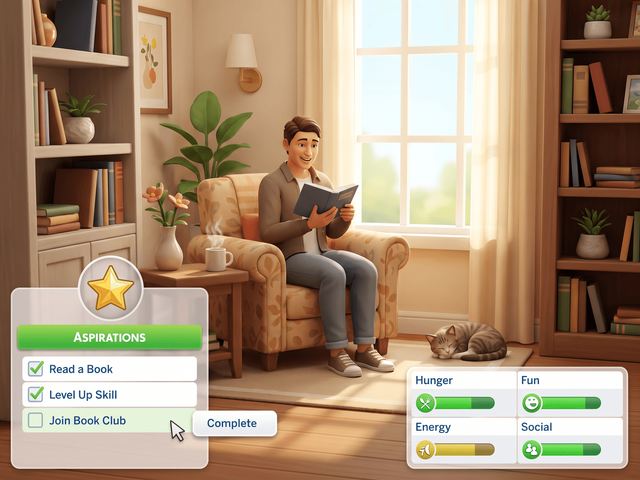
Aspirations
- Right-click a goal to fulfil it.
- Right-click the Soul's Journey meter to pick a rank.
Sim Profile, milestones and the Sim Stat panel
Sim Profile: right-click the green Relationships bar to add relationship bits, or the green Sentiments bar to add sentiments. Right-click a sentiment to remove it or set it 0 to 100. Right-click a skill bar there to set a level, including pet skills since v1.37. Right-click a known Attraction or Romantic Satisfaction to set its value, which needs Lovestruck.
Milestones (Growing Together): right-click a milestone category title bar to add milestones for the Sim's current age, or right-click an existing milestone to remove it or change the Sim, object, location, career, death type or trait it was unlocked with. Changing a recorded death type is a record change, not a killing.
Also on the Sim panels: lifestyles from Snowy Escape, university degrees and Servo behavior modules can each be removed with a right-click, Batuu faction reputation and ghost rank are menus, and the Sim Stat panel added in v1.42 takes a right-click on any stat.
Household and world
Money, moodlets, wants, the clock and the panels that belong to the lot rather than the Sim.
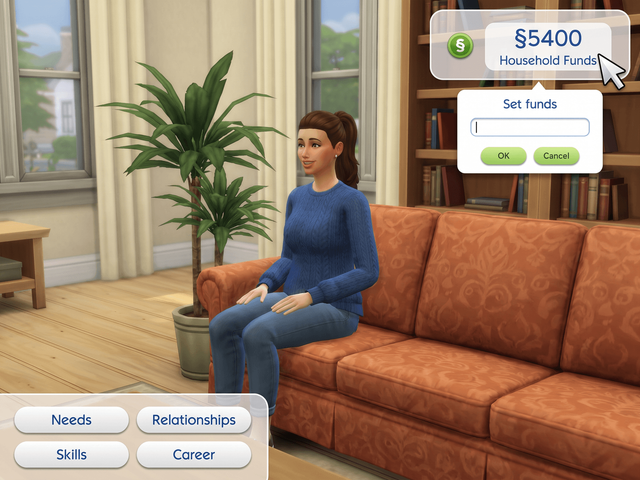
Money
- Right-click the funds counter for an exact balance.
- Left-click it to add 1,000 Simoleons.
- Also sets Galactic Credits, bits and pieces.
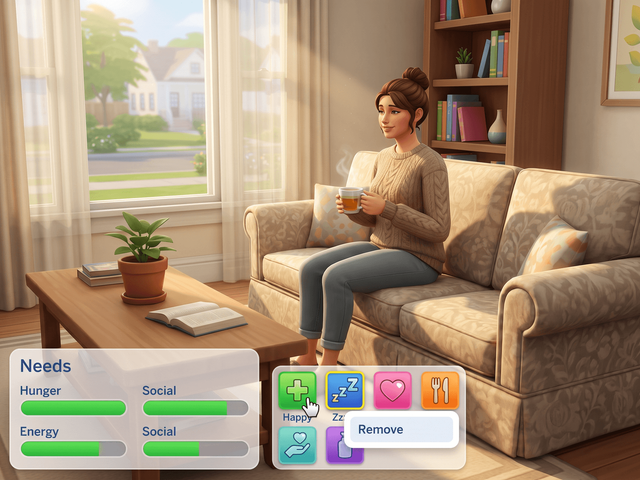
Moodlets
- Right-click a moodlet to remove it.
- Adding a moodlet is not a feature. Removal only.
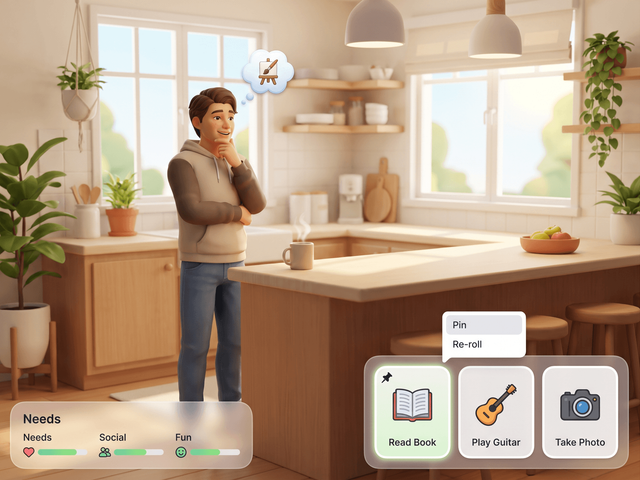
Wants
- Left-click a want to re-roll it.
- Right-click a want to complete it.
- v1.59 dropped the popup, v1.59.1 fixed pinning.
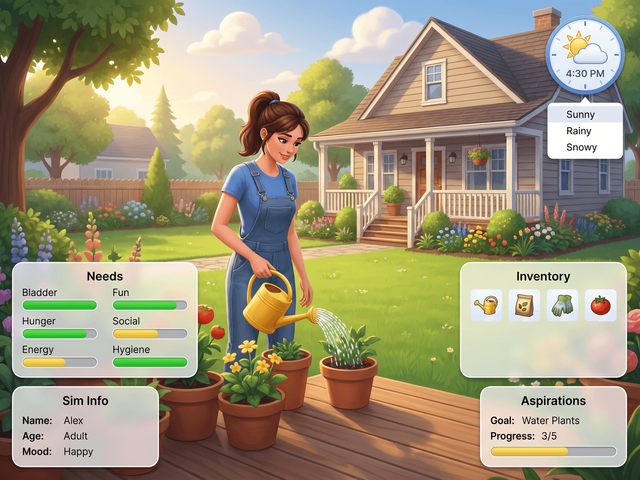
Clock, seasons and weather
- Right-click the clock and type an hour, 0 to 23.
- Right-click the season, weather or lunar phase icon.
- Right-click the eco footprint icon for -500 to 500.
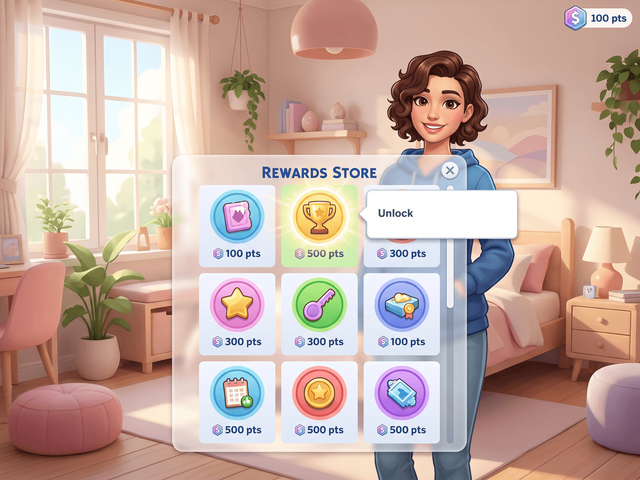
Rewards Store
- Right-click a reward to unlock it.
- There is no separate satisfaction point cheat.
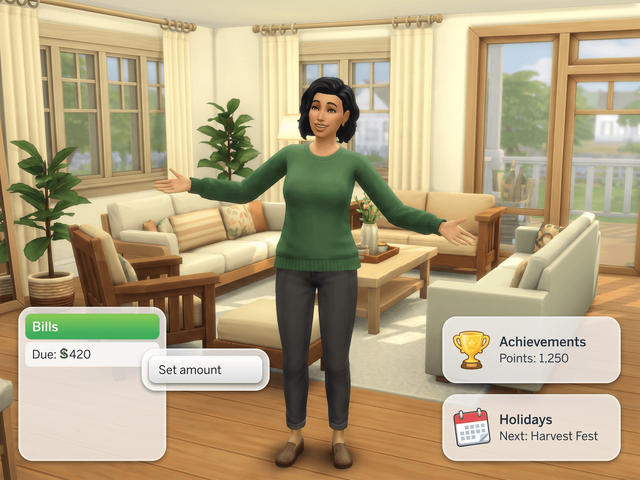
Bills, achievements and events
- Right-click power or water to set the stored amount.
- Right-click an achievement to unlock it.
- Right-click an event, holiday or scenario goal to finish it.
- Right-click a Household Collection item to spawn it.
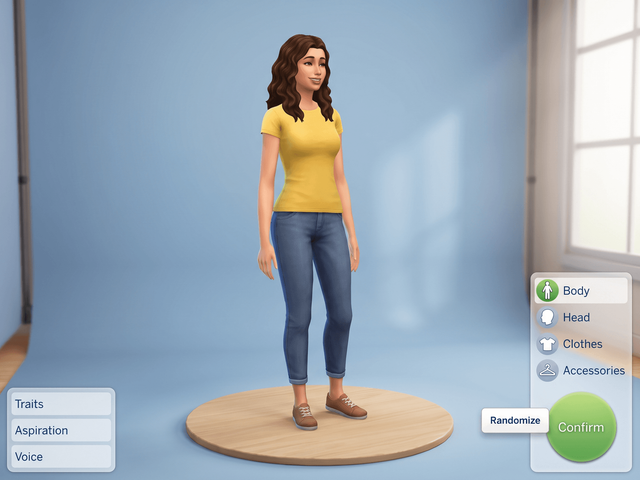
Create a Sim
- Right-click the confirm button to randomize a Sim.
- Names, traits and aspirations in one click.
Buy and Sell arrows, NAP voting and the clock's limits
Buy / Sell panel: right-click the left or right arrow to change the quantity by 10 instead of 1.
NAP Voting panel (Eco Lifestyle): right-click an enacted policy to repeal it instantly. You can also right-click the green NAP title bar in Simology to open a neighborhood's voting panel even when your Sim does not live there.
The clock cheat sets the time of day only. There is no documented cheat for pausing the game or changing game speed.
Occult and packs
Ranks, powers and perk trees. Each one appears only if you own the pack that adds it.
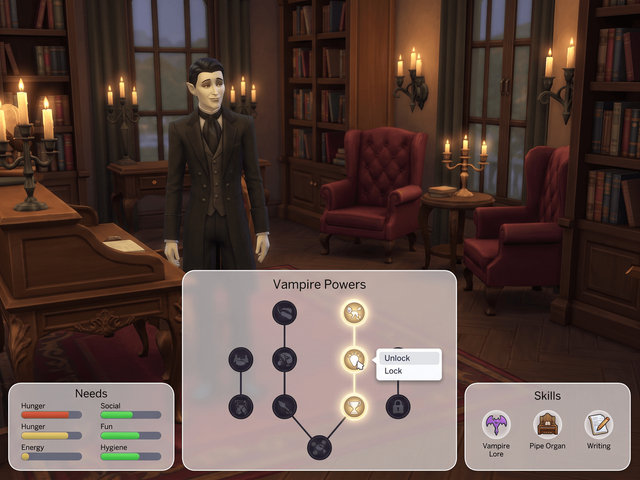
Occult ranks and powers
- Right-click a vampire, spellcaster or werewolf XP bar to pick a rank.
- Right-click the Power or Talent point counter to set points.
- Right-click a perk or dormant ability to lock or unlock it.
- Right-click a curse or temperament to clear it.
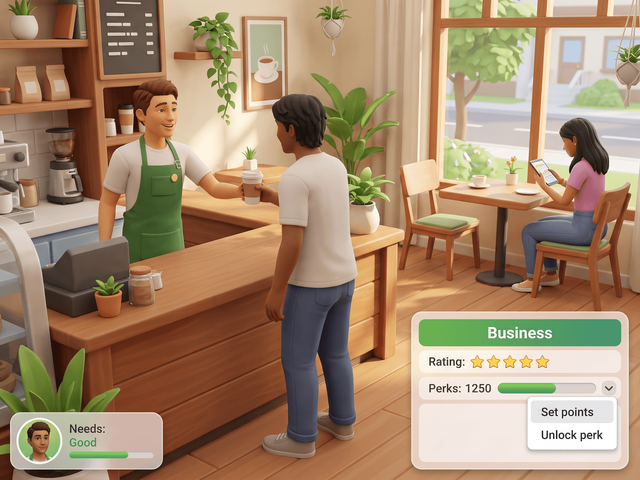
Businesses, clubs and fame
- Right-click a perk point counter to set the points.
- Right-click a restaurant or vet star rating to change it.
- Right-click small business renown or alignment to set it.
- Right-click a fame quirk to add or remove it.
Which cheats need which pack
Occult ranks and powers need Vampires, Realm of Magic or Werewolves. Lunar phase needs Werewolves. Season, weather and holiday traditions need Seasons. Lifestyles need Snowy Escape.
University GPA, degrees, courses, suspension and organizations need Discover University. Fame, reputation and quirks need Get Famous. Batuu factions and Galactic Credits need Journey to Batuu. Eco footprint, NAPs and influence points need Eco Lifestyle.
Milestones need Growing Together. Attraction and Romantic Satisfaction need Lovestruck. Ghost ranks and Soul's Journey need Life and Death. Small business renown and alignment need Businesses and Hobbies. Balance and Imbalance needs Adventure Awaits. Noble Favor, Dynasty Prestige and Dynasty Unity need the Royalty and Legacy content. Character values need Parenthood. Club perks need Get Together, and retail, restaurant and vet perks need Get to Work, Dine Out and Cats and Dogs.
What UI Cheats does not do
Frequently asked questions
Do I need testingcheats on for UI Cheats?
No. The mod dropped that requirement in v1.1, in June 2015. You still need testingcheats true for typed console commands.
Do I need any expansion packs?
No. The mod runs on the base game. Pack cheats such as weather or university grades only show up if you own the pack, because the panel they attach to is not in your game otherwise.
Which click should I try on a panel that is not listed?
Right-click. Almost every cheat in the mod is a right-click, and the four left-click actions are the needs bars, the money counter, wants and the Balance and Imbalance bar. If right-click does nothing, the mod does not cover that element.
A dialog opens but typing a number does nothing. Why?
Your package file loaded and your script file did not. That is the author's own split diagnosis. Check that the .ts4script file sits no more than one subfolder deep in Mods, switch Script Mods Allowed on, then restart the game.